Complete specifications for reference:
Acer Nitro 5:
AN517-41 Series
AN517-42 Series
AN517-51 Series
AN517-52 Series
AN517-53 Series
AN517-54 Series
AN517-55 Series
Acer Predator Helios 300:
PH317-53 Series
PH317-54 Series
PH317-55 Series
PH317-56 Series
Acer Predator Helios 700: PH717-71 Series
PH717-72 Series
ASUS TUF Gaming A17 FA706 Series:
FA706I
FA706IC
FA706IE
FA706IH
FA706IHR
FA706II
FA706IU
FA706Q
FA706QE
FA706QM
FA706QR
ASUS TUF Gaming A17 FA707 Series:
FA707R
FA707RC
FA707RE
FA707RM
FA707RR
FA707RW
FA707X
FA707XI
FA707XU
ASUS TUF Gaming FX705 Series:
FX705G
FX705GE
FX705GM
ASUS TUF Gaming F17 FX706 Series:
FX706H
FX706HC
FX706HCB
FX706HE
FX706HF
FX706HM
FX706I
FX706II
FX706IU
FX706L
FX706LI
ASUS TUF Gaming F17 FX707 Series:
FX707V
FX707VU
FX707VV
FX707Z
FX707ZC
FX707ZC4
FX707ZE
FX707ZM
FX707ZR
FX707ZU
FX707ZV
ASUS TUF Gaming FX765GM Series
ASUS TUF Gaming FX766 Series:
FX766H
FX766HC
FX766HCB
FX766L
FX766LI
ASUS ROG Chimera G703 Series:
G703G
G703GX
G703GXR
ASUS ROG Strix G712 Series:
G712L
G712LU
G712LV
G712LW
G712LWS
ASUS ROG Strix G713 Series:
G713I
G713IC
G713IE
G713IH
G713IM
G713IR
G713P
G713PI
G713PU
G713PV
G713Q
G713QC
G713QE
G713QM
G713QR
G713R
G713RC
ASUS ROG Strix G715 Series:
G715G
G715GV
G715GW
ASUS ROG Strix G G731 Series:
G731G
G731GU
G731GV
G731GW
ASUS ROG Strix Scar 17 G732 Series:
G732L
G732LV
G732LW
ASUS ROG Strix SCAR II GL704 Series:
GL704G
GL704GM
GL704GV
GL704GW
ASUS ROG Strix G GL731 Series:
GL731G
GL731GU
GL731GV
GL731GW
ASUS ROG Zephyrus S GX701 Series:
GX701G
GX701GV
GX701GVR
GX701GVR-EV
GX701GW
GX701GW-DB76
GX701GW-EV
GX701GW-PS74
GX701GWR
GX701GWR-EV
GX701GWR-H
GX701GWR-HG
GX701GX
GX701GXR
GX701GXR-EV
GX701GXR-H
GX701GXR-HG
GX701L
GX701LV
GX701LW
GX701LWS
GX701LX
GX701LXS
ASUS ROG Zephyrus S GX735 Series:
GX735G
GX735GV
GX735GVR
GX735GW
GX735GWR
GX735GX
GX735GXR
GX735L
GX735LW
GX735LWS
GX735LX
GX735LXS
ASUS ROG Mothership GZ700 Series:
GZ700G
GZ700GX
ASUS ROG GZ755 Series:
GZ755G
GZ755GX
GZ755GXR
ASUS ROG GZ775 Series:
GZ775G
GZ775GX
ASUS PX705 Series:
PX705G
PX705GM
ASUS PX707 Series:
PX707Z
PX707ZM
ASUS PX712 Series:
PX712L
PX712LU
ASUS PX713 Series:
PX713Q
PX713QE
PX713QM
ASUS PX731 Series:
PX731G
PX731GU
PX731GV
PX731GW
ASUS TUF705 Series:
TUF705G
TUF705GE
TUF705GM
ASUS TUF706 Series:
TUF706H
TUF706HC
TUF706HCB
TUF706HCNT
TUF706HE
TUF706HM
TUF706I
TUF706IC
TUF706ICB
TUF706IE
TUF706IH
TUF706IHNT
TUF706IHR
TUF706II
TUF706IU
TUF706L
TUF706LI
TUF706Q
TUF706QE
ASUS TUF707 Series:
TUF707R
TUF707RC
TUF707RE
TUF707RR
TUF707Z
TUF707ZC
TUF707ZM
TUF707ZV4
ASUS TUF756 Series:
UF756G
UF756GM
ASUS TUF765 Series:
TUF765G
TUF765GE
TUF765GM
ASUS TUF766 Series:
TUF766H
TUF766HC
TUF766HCB
TUF766HE
TUF766HEB
TUF766HM
TUF766I
TUF766IH
TUF766II
TUF766IU
TUF766L
TUF766LI
TUF766Q
TUF766QM
TUF766QR
Gigabyte AORUS 17G KD:
KD-72ES325SH
KD-72ES325SD
Gigabyte AORUS 17G YD:
YD-73ES345SH
Gigabyte AORUS 17 YE5:
YE5-74ES544SH
Gigabyte AORUS 17X YD:
YD-94ES367SP
Gigabyte AORUS 17G XD:
XD-73ES345SH
HP Omen 17-CB Series
HP Omen 17-CB000 Series:
17-CB0001ns
17-CB0003ns
17-CB0004ns
17-CB0005ns
17-CB0006ns
17-CB0007ns
17-CB0008ns
17-CB0009ns
17-CB0010ns
17-CB0011ns
17-CB0012ns
17-CB0013ns
17-CB0014ns
17-CB0015ns
17-CB0016ns
17-CB0017ns
17-CB0018ns
17-CB0019ns
17-CB0020ns
17-CB0021ns
17-CB0022ns
17-CB0023ns
17-CB0024ns
17-CB0026ns
Lenovo Legion 5-17ACH6 Series
Lenovo Legion 5-17ACH6 ( 82K0 ) Series
Lenovo Legion 5-17ACH6H Series
Lenovo Legion 5-17ACH6H ( 82JY ) Series
Lenovo Legion 5-17ARH05H Series
Lenovo Legion 5-17ARH05H ( 82GN ) Series
Lenovo Legion 5-17IMH05 Series
Lenovo Legion 5-17IMH05 ( 82B3 ) Series
Lenovo Legion 5-17IMH05H Series
Lenovo Legion 5-17IMH05H ( 81Y8 ) Series
Lenovo Legion 5-17ITH6 Series
Lenovo Legion 5-17ITH6 ( 82JN ) Series
Lenovo Legion 5-17ITH6H Series
Lenovo Legion 5-17ITH6H ( 82JM ) Series
Lenovo Legion Y540-17IRH Series
Lenovo Legion Y540-17IRH ( 80Q4 ) Series:
( 81Q400ERSP )
( 81Q4005ESP )
( 81Q4005FSP )
( 81Q4005GSP )
Lenovo Legion Y540-17IRH ( 81T3 ) Series:
( 81T30032SP )
( 81T30033SP )
( 81T30037SP )
( 81T30038SP )
MSI Alpha 17 Series:
B5EE
B5EEK
MSI Bravo 17 A4DDK Series:
002XES
MSI Bravo 17 A4DDR Series:
A4DDR-009
MSI MS-17FK
MSI Creator 17 Series:
A10SF
A10SE
A10SFS
A10SGS
MSI Creator 17M Series:
A9SE
A9SD
MSI GE75 Raider Series:
8RE
-8RE
8RF
-8RF
8SE
-8SE
8SF
-8SF
8SG
-8SG
9SE
-9SE
9SF
-9SF
9SG
-9SG
9SX
-9SX Series
MSI MS-17F1
MS-17F2
MS-17F3
MS-17F4
MSI GF76 Series:
GF76 11UC
MSI GF76 11UD Series:
MSI Katana GF76 11UC-080ES
GF76 11UD-079XES
GF76 11UD-628XES
MSI GF76 11UE Series:
11UE-056XES
11UE-057XES
MSI GF76 11UG Series
MSI GF76 12UC Series:
12UC-037ES
MSI Katana GF76 12UD Series:
12UD-035ES
12UD-036XES
MSI GF76 12UE Series:
12UE-058XES
MSI GL75 Series:
9SDK
9SDK-268XES
9SEK
9SEK-074XES
10SDK
10SDK-041XES
10SEK
10SEK-039ES
10SEK-261XES
10SEK-276ES
10SFK
10SFK-060XES
MSI GL76 Series:
11UEK
11UEK-038XES
11UEK-053ES
11UEK-055XES
MSI GP75 Series:
GP75 9SD
GP75-9SD
GP75 9SE
GP75-9SE
GP75 9SF
GP75-9SF
MSI GT75 8SG Titan Series
MSI GT75-8SG Titan Series
MSI GT75 10SF Titan Series
MSI GT75-10SF Titan Series
MSI Prestige P75 Series
MSI P75 9SD Creator Series
MSI P75-9SD Creator Series
MSI P75 9SE Creator Series
MSI P75-9SE Creator Series
MSI P75 9SF Creator Series
MSI P75-9SD Creator Series
Asus F15
Asus FA707NU
Asus FA707NV
Asus NE173QHM-NZ2
Acer Nitro 5 AN517-41 Series
Acer Nitro 5 AN517-42 Series
Acer Nitro 5 AN517-51 Series
Acer Nitro 5 AN517-52 Series
Acer Nitro 5 AN517-53 Series
Acer Nitro 5 AN517-54 Series
Acer Nitro 5 AN517-55 Series
Acer Predator Helios 300 PH317-53 Series
Acer Predator Helios 300 PH317-54 Series
Acer Predator Helios 300 PH317-55 Series
Acer Predator Helios 300 PH317-56 Series
Acer Predator Helios 700 PH717-71 Series
Acer Predator Helios 700 PH717-72 Series
ASUS TUF Gaming A17 FA706I
ASUS TUF Gaming A17 FA706IC
ASUS TUF Gaming A17 FA706IE
ASUS TUF Gaming A17 FA706IH
ASUS TUF Gaming A17 FA706IHR
ASUS TUF Gaming A17 FA706II
ASUS TUF Gaming A17 FA706IU
ASUS TUF Gaming A17 FA706Q
ASUS TUF Gaming A17 FA706QE
ASUS TUF Gaming A17 FA706QM
ASUS TUF Gaming A17 FA706QR
ASUS TUF Gaming A17 FA707R
ASUS TUF Gaming A17 FA707RC
ASUS TUF Gaming A17 FA707RE
ASUS TUF Gaming A17 FA707RM
ASUS TUF Gaming A17 FA707RR
ASUS TUF Gaming A17 FA707RW
ASUS TUF Gaming A17 FA707X
ASUS TUF Gaming A17 FA707XI
ASUS TUF Gaming A17 FA707XU
ASUS TUF Gaming FX705G
ASUS TUF Gaming FX705GE
ASUS TUF Gaming FX705GM
ASUS TUF Gaming F17 FX706H
ASUS TUF Gaming F17 FX706HC
ASUS TUF Gaming F17 FX706HCB
ASUS TUF Gaming F17 FX706HE
ASUS TUF Gaming F17 FX706HF
ASUS TUF Gaming F17 FX706HM
ASUS TUF Gaming F17 FX706I
ASUS TUF Gaming F17 FX706II
ASUS TUF Gaming F17 FX706IU
ASUS TUF Gaming F17 FX706L
ASUS TUF Gaming F17 FX706LI
ASUS TUF Gaming F17 FX707V
ASUS TUF Gaming F17 FX707VU
ASUS TUF Gaming F17 FX707VV
ASUS TUF Gaming F17 FX707Z
ASUS TUF Gaming F17 FX707ZC
ASUS TUF Gaming F17 FX707ZC4
ASUS TUF Gaming F17 FX707ZE
ASUS TUF Gaming F17 FX707ZM
ASUS TUF Gaming F17 FX707ZR
ASUS TUF Gaming F17 FX707ZU
ASUS TUF Gaming F17 FX707ZV
ASUS TUF Gaming FX765GM Series
ASUS TUF Gaming FX766H Series
ASUS TUF Gaming FX766HC Series
ASUS TUF Gaming FX766HCB Series
ASUS TUF Gaming FX766L Series
ASUS TUF Gaming FX766LI Series
ASUS ROG Chimera G703G
ASUS ROG Chimera G703GX
ASUS ROG Chimera G703GXR
ASUS ROG Strix G712L
ASUS ROG Strix G712LU
ASUS ROG Strix G712LV
ASUS ROG Strix G712LW
ASUS ROG Strix G712LWS
ASUS ROG Strix G713I
ASUS ROG Strix G713IC
ASUS ROG Strix G713IE
ASUS ROG Strix G713IH
ASUS ROG Strix G713IM
ASUS ROG Strix G713IR
ASUS ROG Strix G713P
ASUS ROG Strix G713PI
ASUS ROG Strix G713PU
ASUS ROG Strix G713PV
ASUS ROG Strix G713Q
ASUS ROG Strix G713QC
ASUS ROG Strix G713QE
ASUS ROG Strix G713QM
ASUS ROG Strix G713QR
ASUS ROG Strix G713R
ASUS ROG Strix G713RC
ASUS ROG Strix G715G
ASUS ROG Strix G715GV
ASUS ROG Strix G715GW
ASUS ROG Strix G G731G
ASUS ROG Strix G G731GU
ASUS ROG Strix G G731GV
ASUS ROG Strix G G731GW
ASUS ROG Strix Scar 17 G732L
ASUS ROG Strix Scar 17 G732LV
ASUS ROG Strix Scar 17 G732LW
ASUS ROG Strix SCAR II GL704G
ASUS ROG Strix SCAR II GL704GM
ASUS ROG Strix SCAR II GL704GV
ASUS ROG Strix SCAR II GL704GW
ASUS ROG Strix G GL731G
ASUS ROG Strix G GL731GU
ASUS ROG Strix G GL731GV
ASUS ROG Strix G GL731GW
ASUS ROG Zephyrus S GX701G
ASUS ROG Zephyrus S GX701GV
ASUS ROG Zephyrus S GX701GVR
ASUS ROG Zephyrus S GX701GVR-EV
ASUS ROG Zephyrus S GX701GW
ASUS ROG Zephyrus S GX701GW-DB76
ASUS ROG Zephyrus S GX701GW-EV
ASUS ROG Zephyrus S GX701GW-PS74
ASUS ROG Zephyrus S GX701GWR
ASUS ROG Zephyrus S GX701GWR-EV
ASUS ROG Zephyrus S GX701GWR-H
ASUS ROG Zephyrus S GX701GWR-HG
ASUS ROG Zephyrus S GX701GX
ASUS ROG Zephyrus S GX701GXR
ASUS ROG Zephyrus S GX701GXR-EV
ASUS ROG Zephyrus S GX701GXR-H
ASUS ROG Zephyrus S GX701GXR-HG
ASUS ROG Zephyrus S GX701L
ASUS ROG Zephyrus S GX701LV
ASUS ROG Zephyrus S GX701LW
ASUS ROG Zephyrus S GX701LWS
ASUS ROG Zephyrus S GX701LX
ASUS ROG Zephyrus S GX701LXS
ASUS ROG Zephyrus S GX735G
ASUS ROG Zephyrus S GX735GV
ASUS ROG Zephyrus S GX735GVR
ASUS ROG Zephyrus S GX735GW
ASUS ROG Zephyrus S GX735GWR
ASUS ROG Zephyrus S GX735GX
ASUS ROG Zephyrus S GX735GXR
ASUS ROG Zephyrus S GX735L
ASUS ROG Zephyrus S GX735LW
ASUS ROG Zephyrus S GX735LWS
ASUS ROG Zephyrus S GX735LX
ASUS ROG Zephyrus S GX735LXS
ASUS ROG Mothership GZ700G
ASUS ROG Mothership GZ700GX
ASUS ROG GZ755G
ASUS ROG GZ755GX
ASUS ROG GZ755GXR
ASUS ROG GZ775G
ASUS ROG GZ775GX
ASUS PX705G
ASUS PX705GM
ASUS PX707Z
ASUS PX707ZM
ASUS PX712L
ASUS PX712LU
ASUS PX713Q
ASUS PX713QE
ASUS PX713QM
ASUS PX731G
ASUS PX731GU
ASUS PX731GV
ASUS PX731GW
ASUS TUF705G
ASUS TUF705GE
ASUS TUF705GM
ASUS TUF706H
ASUS TUF706HC
ASUS TUF706HCB
ASUS TUF706HCNT
ASUS TUF706HE
ASUS TUF706HM
ASUS TUF706I
ASUS TUF706IC
ASUS TUF706ICB
ASUS TUF706IE
ASUS TUF706IH
ASUS TUF706IHNT
ASUS TUF706IHR
ASUS TUF706II
ASUS TUF706IU
ASUS TUF706L
ASUS TUF706LI
ASUS TUF706Q
ASUS TUF706QE
ASUS TUF707R
ASUS TUF707RC
ASUS TUF707RE
ASUS TUF707RR
ASUS TUF707Z
ASUS TUF707ZC
ASUS TUF707ZM
ASUS TUF707ZV4
ASUS UF756G
ASUS UF756GM
ASUS TUF765G
ASUS TUF765GE
ASUS TUF765GM
ASUS TUF766H
ASUS TUF766HC
ASUS TUF766HCB
ASUS TUF766HE
ASUS TUF766HEB
ASUS TUF766HM
ASUS TUF766I
ASUS TUF766IH
ASUS TUF766II
ASUS TUF766IU
ASUS TUF766L
ASUS TUF766LI
ASUS TUF766Q
ASUS TUF766QM
ASUS TUF766QR
Gigabyte AORUS 17G KD Series
Gigabyte AORUS 17G KD-72ES325SH
Gigabyte AORUS 17G KD-72ES325SD
Gigabyte AORUS 17G YD Series
Gigabyte AORUS 17G YD-73ES345SH
Gigabyte AORUS 17 YE5 Series
Gigabyte AORUS 17 YE5-74ES544SH
Gigabyte AORUS 17X YD Series
Gigabyte AORUS 17X YD-94ES367SP
Gigabyte AORUS 17G XD Series
Gigabyte AORUS 17G XD-73ES345SH
HP Omen 17-CB Series
(Puede llevar pantallas de 60Hz
144Hz o 240Hz. Verifique la suya y si tiene dudas
contáctenos)
HP Omen 17-CBxxx Series
HP Omen 17-CB0001ns
HP Omen 17-CB0003ns
HP Omen 17-CB0004ns
HP Omen 17-CB0005ns
HP Omen 17-CB0006ns
HP Omen 17-CB0007ns
HP Omen 17-CB0008ns
HP Omen 17-CB0009ns
HP Omen 17-CB0010ns
HP Omen 17-CB0011ns
HP Omen 17-CB0012ns
HP Omen 17-CB0013ns
HP Omen 17-CB0014ns
HP Omen 17-CB0015ns
HP Omen 17-CB0016ns
HP Omen 17-CB0017ns
HP Omen 17-CB0018ns
HP Omen 17-CB0019ns
HP Omen 17-CB0020ns
HP Omen 17-CB0021ns
HP Omen 17-CB0022ns
HP Omen 17-CB0023ns
HP Omen 17-CB0024ns
HP Omen 17-CB0026ns
Lenovo Legion 5-17ACH6 Series
Lenovo Legion 5-17ACH6 (82K0) Series
Lenovo Legion 5-17ACH6H Series
Lenovo Legion 5-17ACH6H (82JY) Series
Lenovo Legion 5-17ARH05H Series
Lenovo Legion 5-17ARH05H (82GN) Series
Lenovo Legion 5-17IMH05 Series
Lenovo Legion 5-17IMH05 (82B3) Series
Lenovo Legion 5-17IMH05H Series
Lenovo Legion 5-17IMH05H (81Y8) Series
Lenovo Legion 5-17ITH6 Series
Lenovo Legion 5-17ITH6 (82JN) Series
Lenovo Legion 5-17ITH6H Series
Lenovo Legion 5-17ITH6H (82JM) Series
Lenovo Legion Y540-17IRH Series
Lenovo Legion Y540-17IRH 81Q400ERSP
Lenovo Legion Y540-17IRH 81Q4005ESP
Lenovo Legion Y540-17IRH 81Q4005FSP
Lenovo Legion Y540-17IRH 81Q4005GSP
Lenovo Legion Y540-17IRH 81T30032SP
Lenovo Legion Y540-17IRH 81T30033SP
Lenovo Legion Y540-17IRH 81T30037SP
Lenovo Legion Y540-17IRH 81T30038SP
MSI Alpha 17 B5EE
MSI Alpha 17 B5EEK
MSI Bravo 17 A4DDK 002XES
MSI Bravo 17 A4DDR A4DDR-009
MSI MS-17FK
MSI Creator 17 A10SF
MSI Creator 17 A10SE
MSI Creator 17 A10SFS
MSI Creator 17 A10SGS
MSI Creator 17M A9SE
MSI Creator 17M A9SD
MSI GE75 Raider 8RE
MSI GE75 Raider -8RE
MSI GE75 Raider 8RF
MSI GE75 Raider -8RF
MSI GE75 Raider 8SE
MSI GE75 Raider -8SE
MSI GE75 Raider 8SF
MSI GE75 Raider -8SF
MSI GE75 Raider 8SG
MSI GE75 Raider -8SG
MSI GE75 Raider 9SE
MSI GE75 Raider -9SE
MSI GE75 Raider 9SF
MSI GE75 Raider -9SF
MSI GE75 Raider 9SG
MSI GE75 Raider -9SG
MSI GE75 Raider 9SX
MSI GE75 Raider -9SX
MSI MS-17F1
MSI MS-17F2
MSI MS-17F3
MSI MS-17F4
MSI GF76 11UC
MSI GF76 11UD Series
MSI Katana GF76 11UC-080ES
MSI Katana GF76 11UD-079XES
MSI Katana GF76 11UD-628XES
MSI GF76 11UE Series
MSI GF76 11UE-056XES
MSI GF76 11UE-057XES
MSI GF76 11UG Series
MSI GF76 12UC 12UC-037ES
MSI Katana GF76 12UD 12UD-035ES
MSI Katana GF76 12UD 12UD-036XES
MSI GF76 12UE 12UE-058XES
MSI GL75 9SDK
MSI GL75 9SDK-268XES
MSI GL75 9SEK
MSI GL75 9SEK-074XES
MSI GL75 10SDK
MSI GL75 10SDK-041XES
MSI GL75 10SEK
MSI GL75 10SEK-039ES
MSI GL75 10SEK-261XES
MSI GL75 10SEK-276ES
MSI GL75 10SFK
MSI GL75 10SFK-060XES
MSI GL76 11UEK
MSI GL76 11UEK-038XES
MSI GL76 11UEK-053ES
MSI GL76 11UEK-055XES
MSI GP75 GP75 9SD
MSI GP75 GP75-9SD
MSI GP75 GP75 9SE
MSI GP75 GP75-9SE
MSI GP75 GP75 9SF
MSI GP75 GP75-9SF
MSI GT75 8SG Titan Series
MSI GT75-8SG Titan Series
MSI GT75 10SF Titan Series
MSI GT75-10SF Titan Series
MSI Prestige P75 Series
MSI P75 9SD Creator Series
MSI P75-9SD Creator Series
MSI P75 9SE Creator Series
MSI P75-9SE Creator Series
MSI P75 9SF Creator Series
MSI P75-9SD Creator Series
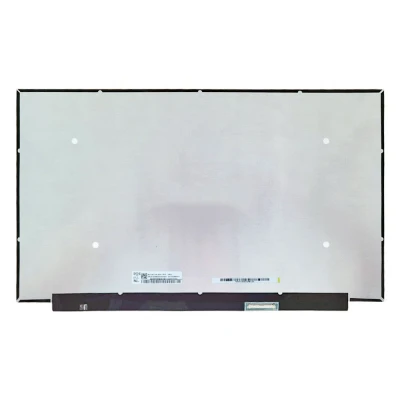
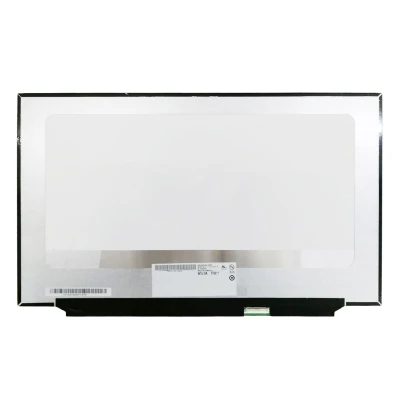
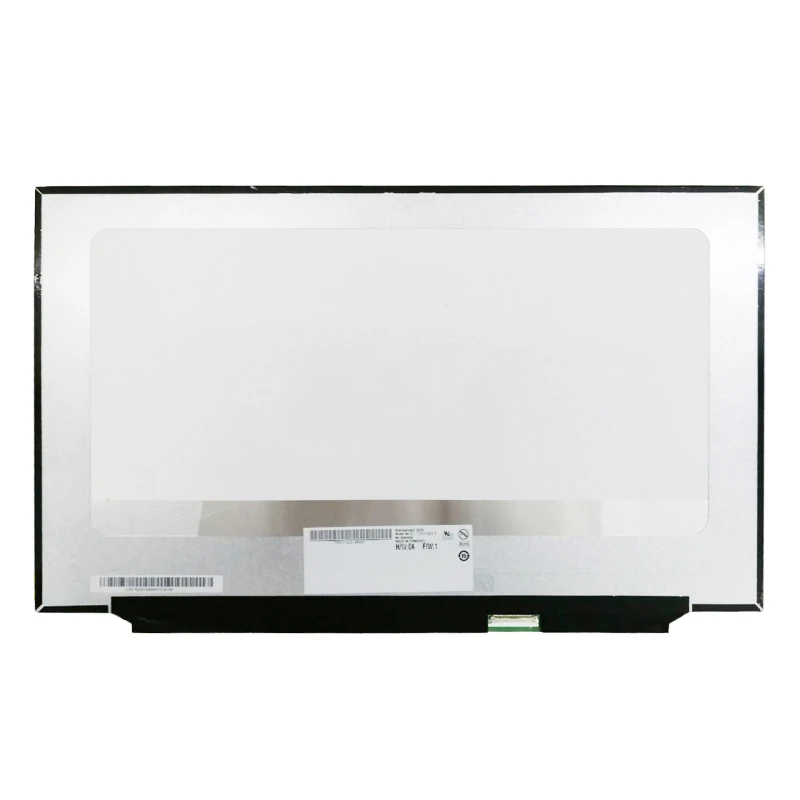
NV173FHM-NX1 120Hz LCD screen panel – a high‑quality LCD panel designed for laptops, delivering crisp visuals and accurate color reproduction.
Key specifications:
Compatibility: Guaranteed fit for . Double‑check the connector width and pitch before installation.
Installation tip: Handle the screen by the edges, avoid touching the glass, and route the cable carefully through the hinge to prevent pinching.
Warranty & Support: All products come with a 7‑day return policy and free technical support. If you have any compatibility questions, contact our team at info@pcspare.com.
SKU: LT-8273 | Last updated: 2026-10-21 07:25:47
If you are upgrading to a higher resolution, we recommend checking your laptop's service manual or online forums for confirmed compatibility.
How to verify: Check the connector on your original screen – look for printed labels (e.g., "30P 0.4mm") or measure with a ruler. Compare with our product photos.
If you are unsure, send us a clear photo of your original screen's connector – we can match it for you.
We ship all screens in the grade stated on the product page. All screens are tested for functionality – no lines, no flickering, and backlight is working.
If you require a specific grade, please check the product description or contact us before ordering.
Our warranty covers manufacturing defects only – physical damage during installation is not covered.
Accessing the screen requires removing the bezel – some models also require removing the entire display assembly (lid) from the base to avoid damaging cables.
Critical: The cable must be inserted all the way – if it is not fully seated, you will get a partial display or no image. Do not force the cable; if it does not go in easily, check the orientation.
Always disconnect the battery before connecting or disconnecting the LCD cable to avoid short circuits.
Note: This is a delicate operation – proceed with caution. If you are not confident, consider using a professional repair service.
Common pitfalls to avoid:
Watch our installation video or consult your laptop's service manual for model‑specific details.
Critical precautions:
Troubleshooting – what if the screen does not work after installation?
If you have tried all the above and the problem persists: Contact our support with photos of the screen issue and your laptop model – we will help diagnose and arrange a replacement if necessary.