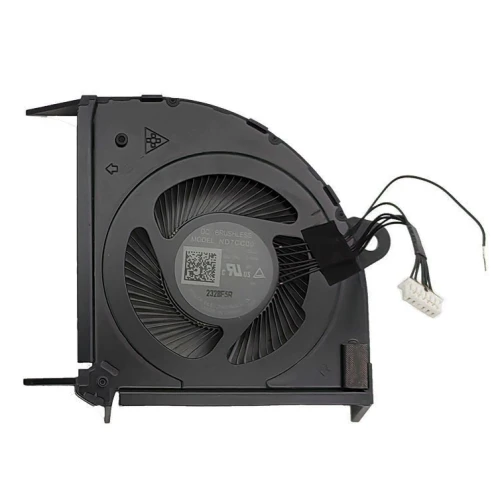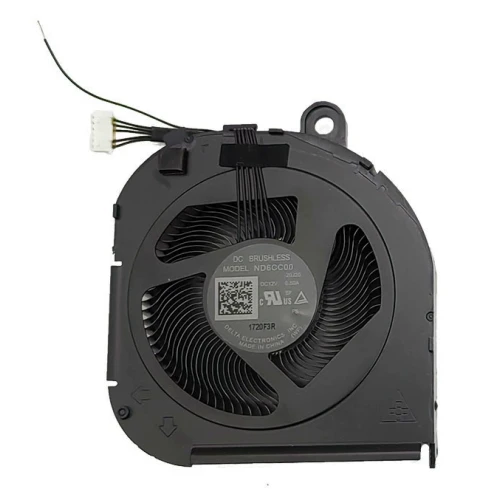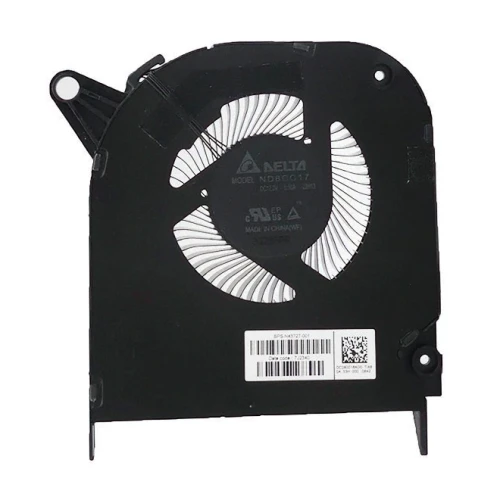
Watch official Dell videos for installation, disassembly, and repair guidance.
Open Dell Installation Guide File / Videos
Complete specifications for reference:
G15 5515
G15 5525
G15 5521 SE
G15 5520
G15 5511
G15 5510
Dell G7 17 7790
G7 17 7700
G7 15 7590
G7 15 7588
G7 15 7500
Dell G5 15 5590
G5 15 5587
G5 15 5500
Dell G3 17 3779
G3 15 3590
G3 15 3579
G3 15 3500
Precision 7680
Precision 7670
Precision 7560
Precision 7550
Precision 7540
Precision 7530
Precision 7520
Precision 7510
Precision 3260
Precision 3240
Precision 3551
Precision 3550
Precision 3541
Precision 3540
Precision 3530
Precision 3520
Precision 3510
Precision M6500
Precision M6400
Precision M6300
Precision M4800
Precision M4700
Precision M4600
Precision M4500
Precision M4400
Precision M4300
Precision M2800
Precision M2400
Precision M2300
Precision M90
Precision M70
Precision M65
Precision M60
Precision M50
Precision M40
Precision M20
Alienware m17 R1
Alienware m17 R2
Alienware m17 R3
Alienware m17 R4
Alienware M17x R1
Alienware M17x R2
Alienware M17x R3
Alienware M15 R1
Alienware M15 R2
Alienware M15 R3
Alienware M15x
Alienware M14x R1
Alienware M14x R2
Alienware 17 R1
Alienware 17 R2
Alienware 17 R3
Alienware 17 R4
Alienware 17 R5
Alienware 15 R1
Alienware 15 R2
Alienware 15 R3
Alienware 15 R4
Alienware 14 R1
Alienware 13 R1
Alienware 13 R2
Alienware 13 R3
Alienware 13 R4
Alienware M11x R1
Alienware M11x R2
Alienware M11x R3
Alienware Alpha R1
Alienware Alpha R2
Alienware Area-51m R1
Alienware Area-51m R2
Alienware Alpha ASM-R2
Alienware Alpha ASM100
Vostro 15 7570
Vostro 15 7580
Vostro 330 All-in-one
Vostro 360 All-in-one
Dell -Dock WD19 WD19S WD19TB WD19TBS WD22TB4 WD15 SD25 WD25 D6000 D6000S TB15 TB16 TB18DC K16A K16A001 K17A001 SD25TB4 Business Thunderbolt/Universal Docking Station
Dell OptiPlex 3280 7420 7410 3050 All-in-One OptiPlex 7090 7080 7000 Micro OptiPlex 7010 7020 Micro Plus OptiPlex 7080 7000 XE Micro
OptiPlex 7080 MFF
OptiPlex 7080 XE MFF Micro Desktop
Dell Ins -One 2320 2310 2305 2205 2020 All-in-One; Ins -24 5475 5477 All-in-One; Ins -27 7775 7777 All-In-One Inspiron 2350 3045 All-in-One
Dell Thunderbolt 4 Dock WD22TB4; Thunderbolt Dock WD19TB K20A001 9GMPM 210-ARIK Compatible with Dell Docking Station D1000 5RR7X; Docking Station D3100 5M48M 452-BBPG; Docking Station WD19 Thunderbolt; Docking Station WD19TB K20A; Docking Stations WD15 WD19; Docking Station - WD19 KXFHC 210-ARIQ Dock WD19S K20A; Dock WD15; Dock WD19S; Dock WD19
Dell WD15 Business Dock K17 K17A K17A001 Monitor; WD15 Monitor Dock 4W2HW 450-AFGM Dell Business Dock - WD15 K17A001 RD43V 452-BDDU; Business Thunderbolt Dock - K16A001 2PMR2 452-BCNP; Thunderbolt Dock TB16; Thunderbolt Dock TB15 Compatible with Dell SuperSpeed USB Docking Station D3000
Dell Thunderbolt Dock K16A WD19T WD22TB4 K20A001 ZSWD22TB4JK K20A Thunderbolt 4 Dock DFV65 0DFV65 210
Precision Dual USB-C Thunderbolt Dock - K16A K16A001 Dual Video USB3.0 Docking Station D1000 USB3.0 dock D3100 Precision Dual USB-C Thunderbolt Dock TB18DC
Dell TB16 Thunderbolt 3 USB-C Docking Station Dock K16A Thunderbolt Dock K16A001 - (USB-C) Performance Dock - WD19DC; Performance Dock – WD19DCS Thunderbolt Dock - WD19TB; Thunderbolt Dock – WD19TBS; Thunderbolt Dock – WD22TB4
Dell Universal Dock - D6000S; Universal Dock D6000 Pro Thunderbolt 4 Smart Dock - SD25TB4 Pro Smart Dock - SD25 Pro Dock - WD25 LA180PM210 HA180PM210 DA180PM210 DA180PM111 FA180PM111 HA180PM181 ADP-180MB B FA180MP111 LA180PM180 HA180PM180
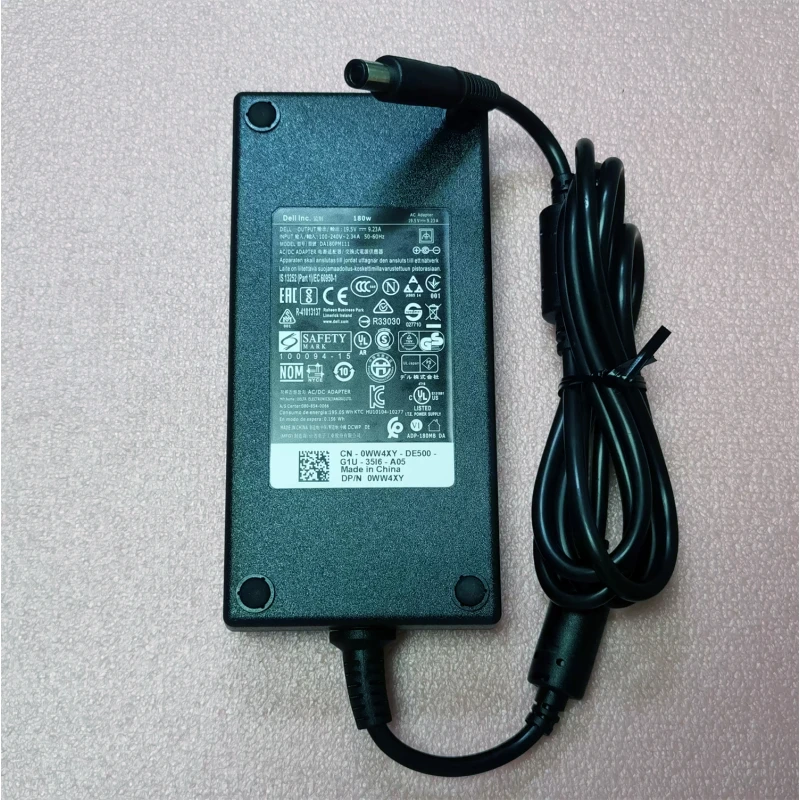
Dell G15 5515 5525 adaptateur d'alimentation AC 180W 7,4mm x 5,0mm – un adaptateur secteur haute performance pour ordinateurs portables , garantissant une charge stable et efficace.
Caractéristiques principales :
Compatibilité : compatibilité garantie avec . Respectez toujours la tension – une tension différente peut endommager votre ordinateur portable.
Conseil d’utilisation : placez l’adaptateur sur une surface dure et ventilée. Évitez de plier fortement le cordon DC.
Garantie et assistance : tous les produits bénéficient d’une politique de retour de 7 jours et d’une assistance technique gratuite. Pour toute question de compatibilité, contactez notre équipe à info@pcspare.com.
SKU : LT-10029048 | Dernière mise à jour : 2026-10-21 07:27:08
Puissance : 180W | Tension / intensité : 19.5V 9.23A | Connecteur : 7.4mm x 5.0mm
Ces caractéristiques doivent correspondre à l’adaptateur d’origine de votre ordinateur portable pour garantir une alimentation sûre et stable. Utiliser un adaptateur avec une tension ou une intensité incorrecte peut endommager votre appareil ou provoquer un dysfonctionnement.
Cet adaptateur est conçu pour les ordinateurs portables nécessitant 180W et utilisant un connecteur 7.4mm x 5.0mm. Il est compatible avec les modèles indiqués dans la description de notre produit. Veuillez comparer le numéro de pièce (G15 5515, G15 5525) avec celui de votre adaptateur d’origine – s’ils correspondent ou sont indiqués comme compatibles, il fonctionnera.
Important : même si le connecteur s’adapte, la tension doit correspondre exactement (par exemple 19 V contre 20 V). Une tension différente peut endommager définitivement la carte mère.
Cet adaptateur utilise un connecteur 7.4mm x 5.0mm. Les types courants sont les suivants :
Vérifiez toujours la polarité de votre adaptateur d’origine avant de le brancher. Si la polarité est inversée, l’ordinateur portable ne s’allumera pas et le circuit de protection peut se déclencher (ou, dans le pire des cas, endommager la carte mère).
Si aucune de ces solutions ne fonctionne, l’adaptateur est peut-être incompatible ou défectueux – contactez notre support pour obtenir de l’aide.
Utilisez toujours l’adaptateur d’origine ou un remplacement certifié. Un adaptateur sous-dimensionné (puissance inférieure) peut entraîner une réduction des performances de l’ordinateur portable ou l’empêcher de charger en charge. Les adaptateurs surdimensionnés (puissance supérieure) sont généralement sans danger, car l’ordinateur portable ne consomme que le courant dont il a besoin – mais la tension doit toujours correspondre exactement.