Watch official Samsung videos for installation, disassembly, and repair guidance.
Open Samsung Installation Guide File / Videos
Complete specifications for reference:
BA39-01134A
BA39-01228A
BA39-01228B
BA39-01133A
Samsung 305V
NP300
NP300E5C
NP300E5X
NP300E5Z
NP305E5A
Samsung NP300E4A
NP300V4A
NP305E4A
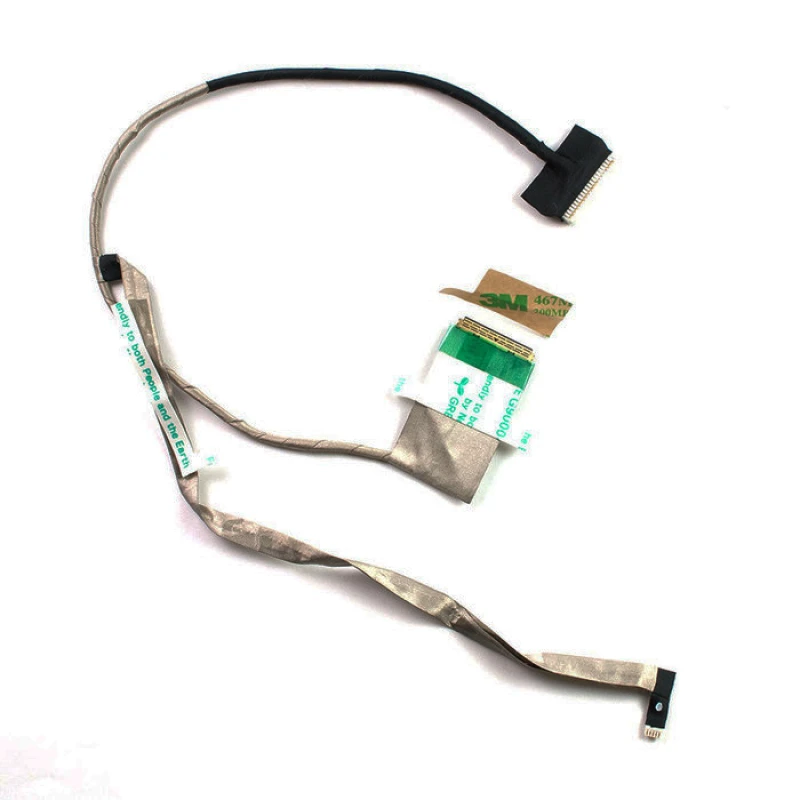
LCD video signal cable for SAMSUNG NP305 NP300 LED BA39-01121A BA39-01134A 40pin – a high‑quality LCD video cable for laptops, transmitting video and backlight signals.
Key specifications:
Compatibility: Direct replacement for . Ensure the connector width matches the motherboard header.
Installation tip: Route the cable through the hinge with care – avoid sharp bends. Lock the ZIF tabs securely.
Warranty & Support: All products come with a 7‑day return policy and free technical support. If you have any compatibility questions, contact our team at info@pcspare.com.
SKU: LT-1267 | Last updated: 2026-10-21 07:25:36
How to verify your screen type: Check your laptop's specifications online, look at the original cable's connector – if it has more than 30 pins (for eDP) or extra separate wires, it is likely a touch cable. Also, check the Device Manager under "Human Interface Devices" – if a touchscreen is listed, your screen supports touch.
If unsure, contact our support with your laptop's full model number and the part number printed on your original cable.
How to check your original cable: Look for printed markings on the cable (e.g., "30P 0.5mm") or measure with a caliper if you have one. You can also count the pins on the connector carefully.
Important: The cable must match the part number of your original cable or be listed as a compatible alternative. Using an incompatible cable may result in:
Always refer to the cable's specifications and compare with your laptop's service manual.
Warning: The LCD cable is extremely fragile – avoid sharp bends (especially at 90° angles), and never pull on the cable itself; always hold the connector.
Access requirements:
The cable is often one of the first components to fail in laptops due to repeated hinge flexing – always inspect the old cable for visible wear at the hinge area.
Connection steps:
Do not force the connector – if it does not go in easily, check orientation and ensure no pins are bent.
Critical precautions:
Troubleshooting if the display does not work after installation:
Quick diagnostic tip: If you have access to an external monitor, connect it to the laptop. If the external display works correctly, the issue is likely the LCD cable or the panel itself. If external display also has issues, the graphics chip or motherboard may be the problem.
If the problem persists, contact our support with your laptop model and the exact part number of your original cable.