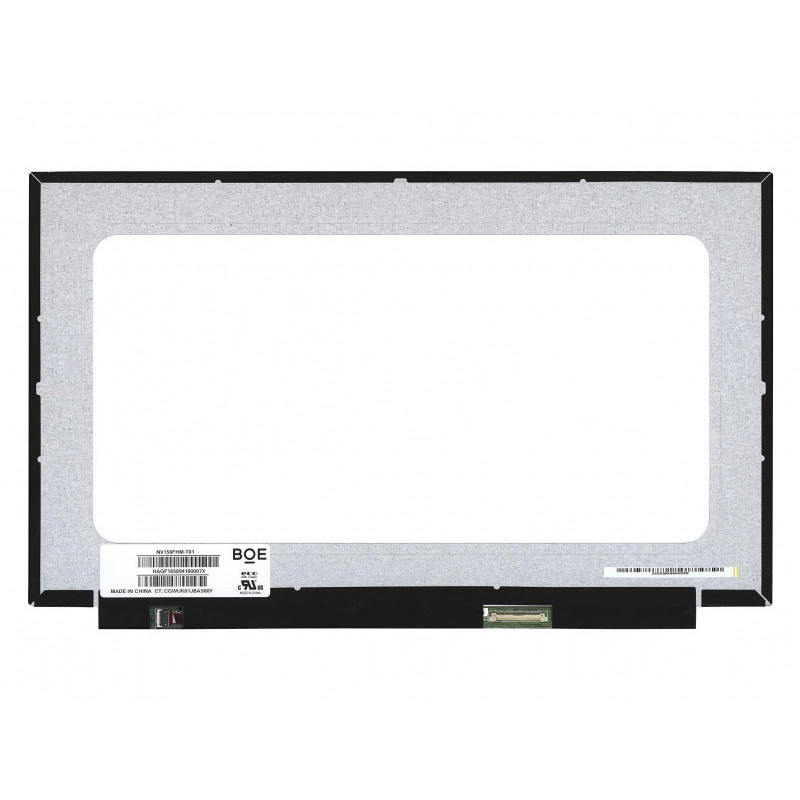
Complete specifications for reference:
Dell Inspiron 3515
Dell Inspiron 15-3515
Dell Inspiron 15-3515 P112F
Dell Inspiron 15-3515 P112F005
Lenovo P15v Gen 1 Series
Lenovo P15v Gen 1 20TQ Series
Lenovo P15v Gen 1 20TR Series
Lenovo P15v Gen 2 Series
Lenovo P15v Gen 2 21A9 Series
Lenovo P15v Gen 2 21AA Series
Lenovo IdeaPad 1-15ALC7 Series
Lenovo IdeaPad 1 15ALC7 82R4 Series
Lenovo IdeaPad 1-15AMN7 Series
Lenovo IdeaPad 1 15AMN7 82VG Series
Lenovo IdeaPad 1 15AMN7 82X5 Series
Lenovo IdeaPad 1-15IAU7 Series
Lenovo IdeaPad 1 15IAU7 82QD Series
Lenovo IdeaPad 1-15IRU7 Series
Lenovo IdeaPad 1 15IRU7 83B4 Series
Lenovo IdeaPad 3-15ABA7 Series
Lenovo IdeaPad 3 15ABA7 82RN Series
Lenovo IdeaPad 3-15ALC6 Series
Lenovo IdeaPad 3 15ALC6 82KU Series
Lenovo IdeaPad 3-15IAU7 Series
Lenovo IdeaPad 3 15IAU7 82RK Series
Lenovo IdeaPad 3-15ITL6 Series
Lenovo IdeaPad 3 15ITL6 82H8 Series
Lenovo IdeaPad 5-15ABA7 Series
Lenovo IdeaPad 5 15ABA7 82SG Series
Lenovo IdeaPad 5-15IAL7 Series
Lenovo IdeaPad 5 15IAL7 82SF Series
Lenovo IdeaPad 5-15IIL05 Series
Lenovo IdeaPad 5 15IIL05 81YK Series
Lenovo IdeaPad Slim 3-15ABR8 Series
Lenovo IdeaPad Slim 3 15ABR8 82XM Series
Lenovo IdeaPad Slim 3-15AMN8 Series
Lenovo IdeaPad Slim 3 15AMN8 82XQ Series
Lenovo IdeaPad Slim 3-15IAH8 Series
Lenovo IdeaPad Slim 3 15IAH8 83ER Series
Lenovo IdeaPad Slim 3-15IRH8 Series
Lenovo IdeaPad Slim 3 15IRH8 83EM Series
Lenovo IdeaPad Slim 3-15IRU8 Series
Lenovo IdeaPad Slim 3 15IRU8 82X7 Series
Lenovo IdeaPad Slim 3-15IRU9 Series
Lenovo IdeaPad Slim 3 15IRU9 83E6 Series
Lenovo IdeaPad Slim 3-15ITN9 Series
Lenovo IdeaPad Slim 3 15ITN9 83L7 Series
Lenovo ThinkBook 15 G3 ACL Series
Lenovo ThinkBook 15 G3 ACL 21A4 Series
Lenovo ThinkBook 15 G4 ABA Series
Lenovo ThinkBook 15 G4 ABA 21DL Series
Lenovo ThinkBook 15 G4 IAP Series
Lenovo ThinkBook 15 G4 IAP 21DJ Series
Lenovo ThinkPad E15 Gen 4 Series
Lenovo ThinkPad E15 Gen 4 21E6 Series
Lenovo ThinkPad E15 Gen 4 21E7 Series
Lenovo ThinkPad L15 Gen 2 Series
Lenovo ThinkPad L15 Gen 2 20X3 Series
Lenovo ThinkPad L15 Gen 2 20X4 Series
Lenovo ThinkPad L15 Gen 2 20X7 Series
Lenovo ThinkPad L15 Gen 2 20X8 Series
Lenovo ThinkPad P15s Gen 2 Series
Lenovo ThinkPad P15s Gen 2 20W6 Series
Lenovo ThinkPad P15s Gen 2 20W7 Series
Lenovo ThinkPad P15v Gen 2 Series
Lenovo ThinkPad P15v Gen 2 21A9 Series
Lenovo ThinkPad P15v Gen 2 21AA Series
Lenovo ThinkPad P15v Gen 3 Series
Lenovo ThinkPad P15v Gen 3 21D8 Series
Lenovo ThinkPad P15v Gen 3 21D9 Series
Lenovo ThinkPad T15 Gen 2 Series
Lenovo ThinkPad T15 Gen 2 20W4 Series
Lenovo ThinkPad T15 Gen 2 20W5 Series
Lenovo ThinkPad T15p Gen 2 Series
Lenovo ThinkPad T15p Gen 2 21A7 Series
Lenovo ThinkPad T15p Gen 2 21A8 Series
Lenovo ThinkPad T15p Gen 3 Series
Lenovo ThinkPad T15p Gen 3 21DA Series
Lenovo ThinkPad T15p Gen 3 21DB Series
Lenovo 15ADA6
Lenovo 82KR
Lenovo PK37B00KNX0
Lenovo AP21P000100
Lenovo 5CB1B60416
Lenovo 5CB1B60415
Lenovo GOLD
Lenovo 5CB1B60414
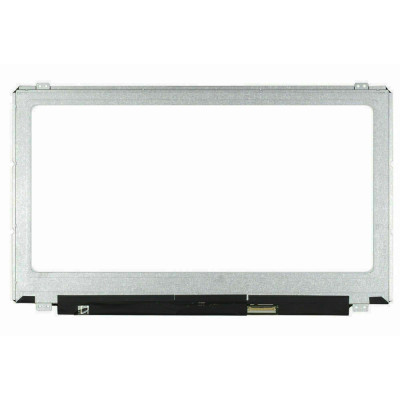
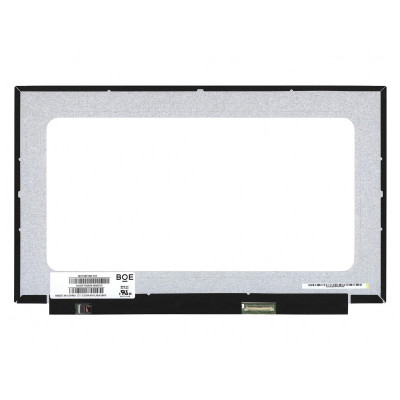
NV156FHM-T07 touch LCD screen panel – a high‑quality LCD panel designed for laptops, delivering crisp visuals and accurate color reproduction.
Key specifications:
Compatibility: Guaranteed fit for . Double‑check the connector width and pitch before installation.
Installation tip: Handle the screen by the edges, avoid touching the glass, and route the cable carefully through the hinge to prevent pinching.
Warranty & Support: All products come with a 7‑day return policy and free technical support. If you have any compatibility questions, contact our team at info@pcspare.com.
SKU: LT-7848 | Last updated: 2026-09-20 00:35:45
If you are upgrading to a higher resolution, we recommend checking your laptop's service manual or online forums for confirmed compatibility.
How to verify: Check the connector on your original screen – look for printed labels (e.g., "30P 0.4mm") or measure with a ruler. Compare with our product photos.
If you are unsure, send us a clear photo of your original screen's connector – we can match it for you.
If you are replacing a non‑touch screen with a touchscreen, you will also need to replace the LCD cable and possibly the bezel (which may have a different frame). We recommend checking your laptop's original configuration.
We ship all screens in the grade stated on the product page. All screens are tested for functionality – no lines, no flickering, and backlight is working.
If you require a specific grade, please check the product description or contact us before ordering.
Our warranty covers manufacturing defects only – physical damage during installation is not covered.
Accessing the screen requires removing the bezel – some models also require removing the entire display assembly (lid) from the base to avoid damaging cables.
Critical: The cable must be inserted all the way – if it is not fully seated, you will get a partial display or no image. Do not force the cable; if it does not go in easily, check the orientation.
Always disconnect the battery before connecting or disconnecting the LCD cable to avoid short circuits.
Note: This is a delicate operation – proceed with caution. If you are not confident, consider using a professional repair service.
Common pitfalls to avoid:
Watch our installation video or consult your laptop's service manual for model‑specific details.
Critical precautions:
Troubleshooting – what if the screen does not work after installation?
If you have tried all the above and the problem persists: Contact our support with photos of the screen issue and your laptop model – we will help diagnose and arrange a replacement if necessary.