Watch official HP videos for installation, disassembly, and repair guidance.
Open HP Installation Guide File / Videos
Complete specifications for reference:
HP ENVY Laptop Refurb PC
2YY27AV
HP ENVY 17T-BW000 LAPTOP
2YY28AV
2YY28AAR
HP ENVY 17T-BW000 REFURB LAPTOP
5ME12U8R
5ME13U8R
5NB78U8R
5YD20U8R
6MX28U8R
6XW52U8R
4KZ22UA
HP ENVY LAPTOP 17-BW0011NR
4KZ22UAR
5JT85U8R
HP ENVY Laptop 17-bw0xxx Refurb PC
5KK38U8R
5KK72U8R
5KK73U8R
5KK74U8R
5MD86U8R
5ME04U8R
5ME05U8R
5ME14U8R
5ME15U8R
5ME16U8R
5ME17U8R
5ME18U8R
5ME24U8R
5ME25U8R
5ME27U8R
5ME28U8R
5MF27U8R
5MF28U8R
5NB59U8R
5NB75U8R
5NB76U8R
5NB77U8R
5NB79U8R
5NB80U8R
5NB81U8R
5NB82U8R
5NB83U8R
5NB84U8R
5NB85U8R
5NB86U8R
5YD19U8R
5YD21U8R
5YD50U8R
6DL28U8R
6DL29U8R
6DL30U8R
6DL31U8R
6DL32U8R
6FH81U8R
6FJ45U8R
6FJ46U8R
6FJ67U8R
6FJ68U8R
6FJ69U8R
6FJ72U8R
6FK42U8R
6FK78U8R
6FK97U8R
6FK98U8R
6FK99U8R
6FL00U8R
6FL01U8R
6FL02U8R
6FL03U8R
6GK39U8R
6GK40U8R
6GK41U8R
6GK42U8R
6MX14U8R
6MX29U8R
6MX30U8R
6MX31U8R
6MX32U8R
6WZ08U8R
6WZ09U8R
6WZ10U8R
6WZ11U8R
6WZ12U8R
6XV21U8R
6YS93U8R
6YT23U8R
6YT25U8R
6YT39U8R
7CJ11U8R
7CJ12U8R
7CJ16U8R
7JE75U8R
7LM05U8R
7LM28U8R
7LM29U8R
7LN41U8R
7LN42U8R
7LN43U8R
7LN44U8R
7LN45U8R
7LN46U8R
7LN72U8R
7VD47U8R
7VD48U8R
7VD49U8R
7VD50U8R
7VD51U8R
7VD52U8R
8LZ20U8R
2YY27AAR
HP ENVY REFURB 17T-BW000 LAPTOP
5ME19U8R
6XW49U8R
6XW50U8R
6XW51U8R
7JF89U8R
7JF90U8R
7JF91U8R
7JF92U8R
7QY27U8R
8UZ79U8R
8UZ80U8R
9MY25U8R
9MY26U8R
9MY27U8R
9PE42U8R
9PE43U8R
9RR94U8R
9RR95U8R
9RR96U8R
6FH45U8R
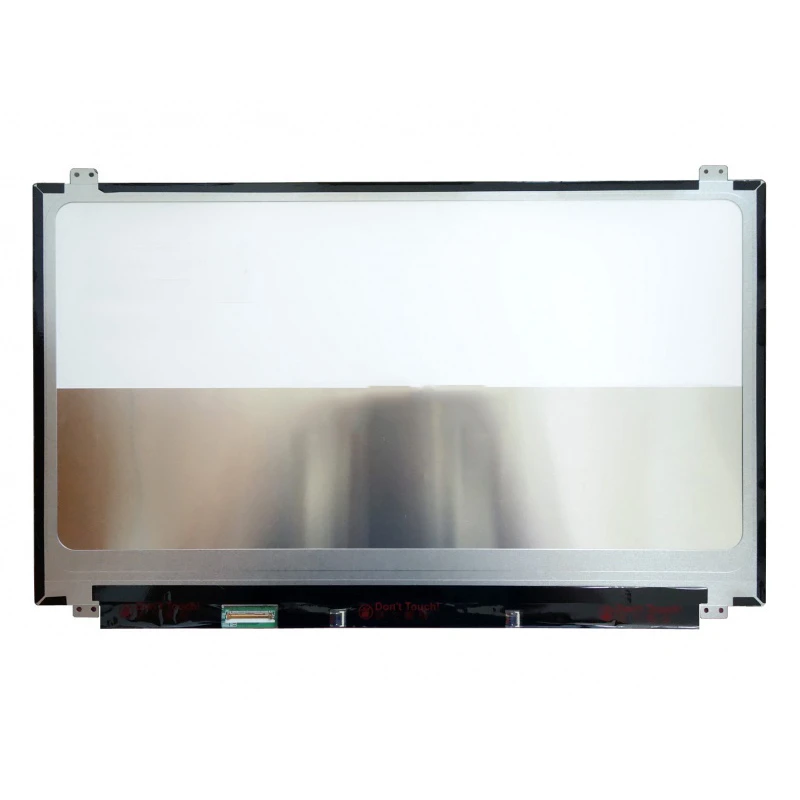
HP ENVY 17-BW 17T-BW UHD LCD screen display panel non-touch – a high‑quality LCD panel designed for laptops, delivering crisp visuals and accurate color reproduction.
Key specifications:
Compatibility: Guaranteed fit for . Double‑check the connector width and pitch before installation.
Installation tip: Handle the screen by the edges, avoid touching the glass, and route the cable carefully through the hinge to prevent pinching.
Warranty & Support: All products come with a 7‑day return policy and free technical support. If you have any compatibility questions, contact our team at info@pcspare.com.
SKU: LT-10027086 | Last updated: 2026-10-21 07:26:53
If you are upgrading to a higher resolution, we recommend checking your laptop's service manual or online forums for confirmed compatibility.
How to verify: Check the connector on your original screen – look for printed labels (e.g., "30P 0.4mm") or measure with a ruler. Compare with our product photos.
If you are unsure, send us a clear photo of your original screen's connector – we can match it for you.
If you are replacing a non‑touch screen with a touchscreen, you will also need to replace the LCD cable and possibly the bezel (which may have a different frame). We recommend checking your laptop's original configuration.
We ship all screens in the grade stated on the product page. All screens are tested for functionality – no lines, no flickering, and backlight is working.
If you require a specific grade, please check the product description or contact us before ordering.
Our warranty covers manufacturing defects only – physical damage during installation is not covered.
Accessing the screen requires removing the bezel – some models also require removing the entire display assembly (lid) from the base to avoid damaging cables.
Critical: The cable must be inserted all the way – if it is not fully seated, you will get a partial display or no image. Do not force the cable; if it does not go in easily, check the orientation.
Always disconnect the battery before connecting or disconnecting the LCD cable to avoid short circuits.
Note: This is a delicate operation – proceed with caution. If you are not confident, consider using a professional repair service.
Common pitfalls to avoid:
Watch our installation video or consult your laptop's service manual for model‑specific details.
Critical precautions:
Troubleshooting – what if the screen does not work after installation?
If you have tried all the above and the problem persists: Contact our support with photos of the screen issue and your laptop model – we will help diagnose and arrange a replacement if necessary.