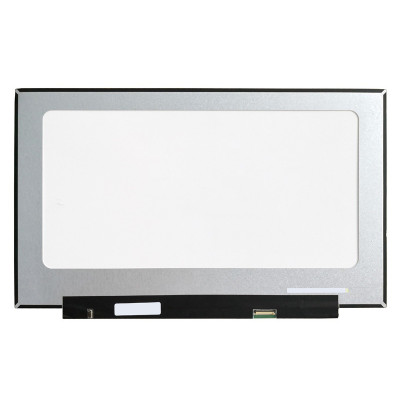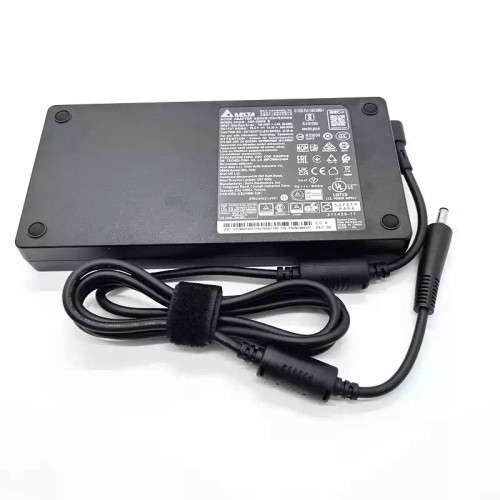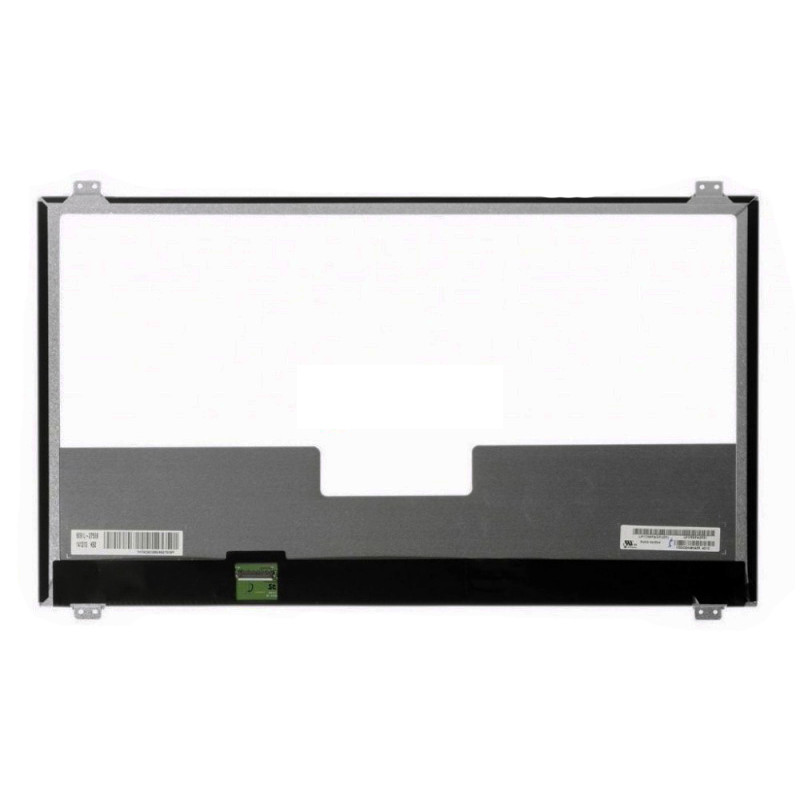
Complete specifications for reference:
HP 17-BS007NS
HP Omen 17-W122TX
Acer Aspire 3 A317-32 Series
Acer Aspire 3 A317-51 Series / 3 A317-52 Series
Acer Aspire 5 A517-51 Series / 5 A517-51G Series
Acer Aspire 5 Pro A517-51P Series
Acer Aspire 7 A717-71 Series
Acer Aspire 7 A717-71G Series / 7 A717-71G-70GJ / 7 A717-71G-73EB / 7 A717-71G-54ZH / 7 A717-71G-58P6
Acer Aspire 7 A717-72 Series
Acer Aspire 7 A717-72G Series / 7 A717-72G-7600 / 7 A717-72G-53Z5 / 7 A717-72G-700J
Acer Aspire V Nitro VN7-791G Series / Acer Aspire V Nitro VN7-791G-50HP / V Nitro VN7-791G-50P8 / V Nitro VN7-791G-51F5 / V Nitro VN7-791G-51KM / V Nitro VN7-791G-51V3 / V Nitro VN7-791G-52DM / V Nitro VN7-791G-52L9 / V Nitro VN7-791G-541V / V Nitro VN7-791G-55LM
Acer Aspire V Nitro VN7-791G-5669 / V Nitro VN7-791G-567H / V Nitro VN7-791G-56RU / V Nitro VN7-791G-57D0 / V Nitro VN7-791G-57UF / V Nitro VN7-791G-580M / V Nitro VN7-791G-582W / V Nitro VN7-791G-584H / V Nitro VN7-791G-58LF / V Nitro VN7-791G-598X / V Nitro VN7-791G-59UB
Acer Aspire V Nitro VN7-791G-7085 / V Nitro VN7-791G-70DB / V Nitro VN7-791G-70M4 / V Nitro VN7-791G-70NF / V Nitro VN7-791G-70Q3 / V Nitro VN7-791G-70TW / V Nitro VN7-791G-70Z7 / V Nitro VN7-791G-712B / V Nitro VN7-791G-712T / V Nitro VN7-791G-71XN / V Nitro VN7-791G-725Y
Acer Aspire V Nitro VN7-791G-72BQ / V Nitro VN7-791G-72FC / V Nitro VN7-791G-72PL / V Nitro VN7-791G-72Q4 / V Nitro VN7-791G-732C / V Nitro VN7-791G-73D1 / V Nitro VN7-791G-73DP / V Nitro VN7-791G-73E6 / V Nitro VN7-791G-73TH / V Nitro VN7-791G-73WN / V Nitro VN7-791G-74SH
Acer Aspire V Nitro VN7-791G-755F / V Nitro VN7-791G-759Q / V Nitro VN7-791G-75LC / V Nitro VN7-791G-75VK / V Nitro VN7-791G-761M / V Nitro VN7-791G-769Y / V Nitro VN7-791G-76LH / V Nitro VN7-791G-76P7 / V Nitro VN7-791G-778Z / V Nitro VN7-791G-779J / V Nitro VN7-791G-77R4
Acer Aspire V Nitro VN7-791G-77SW / V Nitro VN7-791G-7825 / V Nitro VN7-791G-782K / V Nitro VN7-791G-788H / V Nitro VN7-791G-78MG / V Nitro VN7-791G-79JA / V Nitro VN7-791G-79NV / V Nitro VN7-791G-79RV
Acer Aspire V Nitro VN7-792G-5080 / V Nitro VN7-792G-50N1 / V Nitro VN7-792G-50QR / V Nitro VN7-792G-51H3 / V Nitro VN7-792G-51K9 / V Nitro VN7-792G-5293 / V Nitro VN7-792G-52FY / V Nitro VN7-792G-539X / V Nitro VN7-792G-5484 / V Nitro VN7-792G-54AT
Acer Aspire V Nitro VN7-792G-54BZ / V Nitro VN7-792G-55SF / V Nitro VN7-792G-56WA / V Nitro VN7-792G-593V / V Nitro VN7-792G-59CL / V Nitro VN7-792G-59XU / V Nitro VN7-792G-706L / V Nitro VN7-792G-70DS / V Nitro VN7-792G-70G / V Nitro VN7-792G-70GT / V Nitro VN7-792G-70JV
Acer Aspire V Nitro VN7-792G-70K4 / V Nitro VN7-792G-70MJ / V Nitro VN7-792G-70MT / V Nitro VN7-792G-70XL / V Nitro VN7-792G-7182 / V Nitro VN7-792G-71HT / V Nitro VN7-792G-71XH / V Nitro VN7-792G-726L / V Nitro VN7-792G-72JP / V Nitro VN7-792G-72SW / V Nitro VN7-792G-733R
Acer Aspire V Nitro VN7-792G-738T / V Nitro VN7-792G-73QL / V Nitro VN7-792G-73X4 / V Nitro VN7-792G-74CN / V Nitro VN7-792G-74Q4 / V Nitro VN7-792G-74RX / V Nitro VN7-792G-74S0 / V Nitro VN7-792G-74U5 / V Nitro VN7-792G-74Y9 / V Nitro VN7-792G-75C9 / V Nitro VN7-792G-75DU
Acer Aspire V Nitro VN7-792G-75KV / V Nitro VN7-792G-768K / V Nitro VN7-792G-76F4 / V Nitro VN7-792G-76HB / V Nitro VN7-792G-7788 / V Nitro VN7-792G-77MV / V Nitro VN7-792G-785 / V Nitro VN7-792G-785Q / V Nitro VN7-792G-786S / V Nitro VN7-792G-78G4 / V Nitro VN7-792G-78T6
Acer Aspire V Nitro VN7-792G-791E / V Nitro VN7-792G-791N / V Nitro VN7-792G-797V / V Nitro VN7-792G-798L / V Nitro VN7-792G-79KE / V Nitro VN7-792G-79KG / V Nitro VN7-792G-79WL
Acer Predator Helios 300 PH317-51 Series
Acer Predator Helios 300 PH317-52 Series
Acer Predator Helios 500 PH517-61 Series
Acer Predator 17 G9-791 Series Acer Predator 17 G9-791-700R / 17 G9-791-7030 / 17 G9-791-707M / 17 G9-791-70JR / 17 G9-791-7133 / 17 G9-791-718D / 17 G9-791-71MG / 17 G9-791-72VU / 17 G9-791-735A / 17 G9-791-73CL / 17 G9-791-73ET / 17 G9-791-73EX / 17 G9-791-73R6 / 17 G9-791-73TA / 17 G9-791-74EN / 17 G9-791-74WH / 17 G9-791-75PV / 17 G9-791-760F / 17 G9-791-76CD / 17 G9-791-77BZ / 17 G9-791-77H4 / 17 G9-791-78A4 / 17 G9-791-78CE / 17 G9-791-78E2 / 17 G9-791-78G4 / 17 G9-791-78J1 / 17 G9-791-79HR / 17 G9-791-79W7 / 17 G9-791-79XV
/ 17 G9-792 Series Acer Predator 17 G9-792-707A / 17 G9-792-707R
Acer Predator 17 G9-792-71EF / 17 G9-792-7282 / 17 G9-792-72S6 / 17 G9-792-730B / 17 G9-792-736Q / 17 G9-792-73UG / 17 G9-792-745E / 17 G9-792-74T6 / 17 G9-792-74TT / 17 G9-792-75UA / 17 G9-792-767R / 17 G9-792-76MM / 17 G9-792-773S / 17 G9-792-778N / 17 G9-792-78CG / 17 G9-792-78G5 / 17 G9-792-78LB / 17 G9-792-79G8 / 17 G9-792-79UO
Acer Predator 17 G9-793 Series / 17 G9-793-70F3 / 17 G9-793-70MT / 17 G9-793-70N8 / 17 G9-793-70PJ / 17 G9-793-73B4 / 17 G9-793-767T / 17 G9-793-769U / 17 G9-793-76KV / 17 G9-793-76Z1 / 17 G9-793-77LN / 17 G9-793-78AU / 17 G9-793-78Q1 / 17 G9-793-79DK / 17 G9-793-79NC
Acer Predator 17X GX-791 Series Acer Predator 17X GX-791-73FH / 17X GX-791-74HZ / 17X GX-791-74YL / 17X GX-791-750T / 17X GX-791-758V / 17X GX-791-75YL / 17X GX-791-78UT
Acer Predator 17X GX-792 Series Acer Predator 17X GX-792-740Z / 17X GX-792-7448 / 17X GX-792-756R / 17X GX-792-75MV / 17X GX-792-76DL / 17X GX-792-77BL / 17X GX-792-78VQ
Asus ROG G752VS Series Asus ROG G752VS-BHI7N05 / G752VS-GC Series / G752VS-Q72S / G752VS-RB71 / G752VS-XB72K / G752VS-XB78K / G752VS-XS74K
Asus ROG G752VSK Series Asus ROG G752VSK-GC Series
Asus ROG Strix GL702 Series / Asus ROG Strix GL702V / Strix GL702VI / Strix GL702VM / Strix GL702VS / Strix GL702VT / Strix GL702ZC
Asus ROG Strix GL753 Series / Strix GL753VD / Strix GL753VD-GC003T / Strix GL753VD-GC011 / Strix GL753VD-GC032 / Strix GL753VD-GC184T / Strix GL753VD-GC273T / Strix GL753VE / Strix GL753VE-DS74 / Strix GL753VE-GC011T / Strix GL753VE-GC144T / Strix GL753VE-GC145T
Asus VivoBook Pro N705 Series / Pro N705F / Pro N705FD / Pro N705N
Asus VivoBook Pro N705NC / Pro N705U / Pro N705UD / Pro N705UF / Pro N705UN / Pro N705UQ
/ X705 Series / X705B / X705BA / X705F / X705FD / X705FN / X705M / X705MA / X705MB / X705N / X705NA / X705NC / X705Q / X705QA / X705QR / X705U / X705UA / X705UB / X705UD / X705UF / X705UN / X705UQ / X705UV
DELL Inspiron 17 3000 / 17-3000 Series
Dell Inspiron 3780 / 17 3780 / 17-3780 ( P35E / P35E001 / P35E004 )
Dell Inspiron 3781 / 17 3781 / 17-3781 ( P35E / P35E001 )
Dell Inspiron 3782 / 17 3782 / 17-3782 ( P35E / P35E006 )
Dell Inspiron 3785 / 17 3785 / 17-3785 ( P35E / P35E002 )
Dell Inspiron 3790 / 17 3790 / 17-3790 ( P35E / P35E004 )
Dell Inspiron 3793 / 17 3793 / 17-3793 ( P35E / P35E007 )
DELL Alienware 17 R2 / DELL Alienware 17-R2
DELL Alienware 17 R3 / DELL Alienware 17-R3
DELL Alienware 17 R4 / DELL Alienware 17-R4
HP Pavilion 17-AB Series / 17-ABxxx Series
/ 17-AB000 Series / 17-ab001ns / 17-ab003ns
HP Pavilion 17-ab004ns / 17-ab005ns / 17-ab006ns / 17-ab007ns
HP Pavilion 17-ab010nr / 17-ab013cl / 17-ab020nr / 17-ab067nr
HP Pavilion 17-AB200 Series / 17-ab200nq / 17-ab201nq / 17-ab203nf
HP Pavilion 17-ab204nf / 17-ab206nl / 17-ab209ng / 17-ab209nm
HP Pavilion 17-ab220nr / 17-ab289nr
HP Envy 17-AE Series
HP Envy 17-AExxx Series
HP Envy 17-AE000 Series
HP Envy 17-ae003ns
HP Envy 17-AE100 Series
HP Envy 17-ae100ns
HP Envy 17-ae101ns
HP Pavilion 17-AK Series / 17-AKxxx Series
HP Pavilion 17-AK000 Series / 17-AK000ns / 17-AK001ns / 17-AK002ns
HP Pavilion 17-AK003ns / 17-AK004ns / 17-AK005ns / 17-AK006ns / 17-AK007ns
HP Omen 17-AN Series HP Omen 17-ANxxx Series
HP Omen 17-AN000 Series / 17-an001ns
HP Omen 17-an001la / 17-an002ns / 17-an003ns / 17-an004ns / 17-an005ns / 17-an007ns 2CM02EA / 17-an009ns / 17-an010ns 2GR30EA / 17-an025ns 3LG95EA / 17-an026ns 3LG96EA
HP Omen 17-an100ns / 17-an101ns / 17-an103ns / 17-an104ns / 17-an105ns / 17-an110ns / 17-an112ns / 17-an113ns / 17-an126ns
HP Pavilion 17-BS Series
HP Pavilion 17-BSxxx Series
HP Pavilion 17-bs001ns /17-bs002nl / 17-bs002ns / 17-bs003nl / 17-bs003ns / 17-bs005ns / 17-bs006ns / 17-bs007ns / 17-bs008ns / 17-bs009ns / 17-bs011dx / 17-bs012nl
HP Pavilion 17-bs100ns / 17-bs101nl /17-bs101ns
HP Envy 17-BW Series / 17-BWxxx Series
HP Envy 17-BW000 Series / 17-BW0001ns / 17-BW0002n / 17-BW0003ca / 17-BW0003na / 17-BW0007n / 17-BW0550nd
HP Pavilion 17-BY Series
HP Pavilion 17-BYxxx Series
HP Pavilion 17-BY0000 Series
HP Pavilion 17-BY0001ns
HP Pavilion 17-BY0002ns
HP Pavilion 17-BY0003ns
HP Pavilion 17-BY0004ns
HP Pavilion 17-BY0005ns
HP Pavilion 17-BY0006ns
HP Pavilion 17-BY0007ns
HP Pavilion 17-BY0008ns
HP Pavilion 17-BY0009ns
HP Pavilion 17-BY0010ns
HP Pavilion 17-BY0011ns
HP Pavilion 17-BY0012ns
HP Pavilion 17-BY0013ns
HP Pavilion 17-BY1000 Series
HP Pavilion 17-BY1001ns
HP Pavilion 17-BY1002ns
HP Pavilion 17-BY1003ns
HP Envy 17-CA Series / 17-CAxxx Series
HP Envy 17-CA000 Series / 17-CA0000ns / 17-CA0001na / 17-CA0003ns / 17-CA0005ns / 17-CA0006ns / 17-CA0007ns / 17-CA0008ns
HP Omen 17-CB Series HP Omen 17-CBxxx Series
HP Omen 17-CB000 Series / 17-CB0001ns / 17-CB0003ns / 17-CB0004ns
HP Omen 17-CB0005ns / 17-CB0006ns / 17-CB0007ns / 17-CB0008ns
HP Omen 17-CB0009ns / 17-CB0010ns / 17-CB0011ns / 17-CB0012ns
HP Omen 17-CB0013ns / 17-CB0014ns / 17-CB0015ns / 17-CB0016ns
HP Omen 17-CB0017ns / 17-CB0018ns / 17-CB0019ns / 17-CB0020ns
HP Omen 17-CB0021ns / 17-CB0022ns / 17-CB0023ns / 17-CB0024ns
HP Omen 17-CB0026ns
HP Envy 17-CE Series HP Envy 17-CExxx Series
HP Envy 17-CE000 Series
HP Envy 17-CE0000ns
HP Envy 17-CE0001ns
HP Envy 17-CE1000 Series
HP Envy 17-CE1000ns
HP Envy 17-CE1001ns
HP Pavilion 17-G Series
HP Pavilion 17-Gxxx Series
HP Pavilion 17-G000 Series
HP Pavilion 17-G000ns
HP Pavilion 17-G002ns
HP Pavilion 17-G003ns
HP Pavilion 17-G100 Series
HP Pavilion 17-G103ns
HP Pavilion 17-G105ns
HP Pavilion 17-G108ns
HP Pavilion 17-G150ns
HP Pavilion 17-G152ns
HP Pavilion 17T-G000 Series
HP Pavilion 17T-G100 Series
HP Pavilion 17Z-G000 Series
HP Pavilion 17Z-G100 Series
HP Envy 17-N Series
HP Envy 17-Nxxx Series
HP Envy 17-N000 Series
HP Envy 17-n001ns
HP Envy 17-N100 Series
HP Envy 17-N100ns
HP Envy 17-R Series
HP Envy 17-Rxxx Series
HP Envy 17-R000 Series
HP Envy 17-R100 Series
HP Envy 17-R103ns V0Y38EA#ABE
HP Envy 17-R104ns W2V79EA#ABE
HP Envy 17-R105ns W2X01EA#ABE
HP Omen 17-W Series
HP Omen 17-Wxxx
HP ProBook 470 G3
HP ProBook 470-G3
HP ProBook 470 G4 / 470-G4
HP ProBook 470 G5 / 470-G5
HP Zbook 17 G3 / Zbook17 G3
HP Zbook 17 G4 / Zbook17 G4
HP Zbook 17 G5 / Zbook17 G5
HP Zbook 17 G6 / Zbook17 G6
Lenovo IdeaPad 320-17ABR Series / 320-17ABR ( 80YN ) Series
Lenovo IdeaPad 320-17AST Series / 320-17AST ( 80XW ) Series
Lenovo IdeaPad 320-17IAP Series / 320-17IAP ( 80XM ) Series
Lenovo IdeaPad 320-17IKB Series / 320-17IKB ( 81BJ ) Series
Lenovo IdeaPad 320-17IKBR Series
Lenovo IdeaPad 320-17ISK Series / 320-17ISK ( 80XJ ) Series
Lenovo IdeaPad 330-17AST Series / 330-17AST ( 81D7 ) Series
Lenovo IdeaPad 330-17ICH Series / 330-17ICH ( 81FL ) Series
Lenovo IdeaPad 330-17IKB Series / 330-17IKB ( 81DK ) Series / 330-17IKB ( 81DM ) Series
Lenovo IdeaPad L340-17API Series / L340-17API ( 81LY ) Series
Lenovo IdeaPad L340-17IRH Series / L340-17IRH ( 81LL ) Series
Lenovo IdeaPad L340-17IWL Series / L340-17IWL ( 81M0 ) Series
Lenovo IdeaPad V320-17IKB Series / V320-17IKB ( 81AH ) Series / V320-17IKB ( 81CN ) Series
Lenovo IdeaPad V320-17ISK Series / V320-17ISK ( 81B6 ) Series
Lenovo IdeaPad Z70-80 Series / Z70-80 FG Series
Lenovo Legion Y920-17IKB Series / Y920-17IKB ( 80YW ) Series
Lenovo Thinkpad P71 Series / P71 ( 20HK ) / P71 ( 20HL )
Medion Erazer MD60324 / MD99650 / MD99839
Medion Erazer P7643 / P7644 / P7647
MSI GE72 2QE Series / 2QE Apache
MSI GE72 2QE Apache Pro / 2QF Series / 2QF Apache Pro / 6QD Series / 6QD Apache Pro / 6QE Series / 6QE Apache Pro / 6QF Series / 6QF Apache Pro
MSI GE72-2QE Series / -2QE Apache / -2QE Apache Pro / -2QF Series / -2QF Apache Pro / -6QD Series / -6QD Apache Pro / -6QE Series / -6QE Apache Pro / -6QF Series / -6QF Apache Pro
MSI GP72 7RD Series / 7RD LEOPARD / 7RE Series / 7RE LEOPARD PRO
MSI GP72-7RD Series / GP72-7RD LEOPARD / GP72-7RE Series / GP72-7RE LEOPARD PRO
MSI PE70 2QD Series / PE70 2QE Series / PE70 6QD Series / PE70 7RD Series
MSI PE70-2QD Series / PE70-2QE Series / PE70-6QD Series / PE70-7RD Series
MSI GT72 Series
MSI GT72 2QD Series / GT72-2QD Series / GT72 2QD-1044XES / GT72 2QD-1237XES / GT72 2QD-1240X / GT72 2QD-1695XES / GT72 2QD-488XES / GT72 2QD-609XES / GT72 2QD-882ES
MSI GT72S 6QD Series / GT72S 6QD Dominator / GT72S 6QD DominatorG / GT72S 6QE Series / GT72S 6QE Dominator Pro / GT72S 6QE Dominator Pro G / GT72S 6QF Series / GT72S 6QF Dominator Pro / GT72S 6QF Dominator Pro G / GT72S 6QF Dragon Edition / GT72S 6QF Dragon Edition G
MSI GT72S-6QD Series / GT72S-6QD Dominator / GT72S-6QD DominatorG / GT72S-6QE Series / GT72S-6QE Dominator Pro / GT72S-6QE Dominator Pro G / GT72S-6QF Series / GT72S-6QF Dominator Pro / GT72S-6QF Dominator Pro G / GT72S-6QF Dragon Edition / GT72S-6QF Dragon Edition G
MSI GT72S Dominator G-037 / GT72S Dominator Pro G Dragon 004 / GT72S Dominator Pro G Dragon -070 / GT72S Dominator Pro G-041 / GT72S Dominator Pro G-1230 / GT72S Dominator Pro G-219 / GT72S Dominator Pro G-220
MSI GT72S G TOBII / GT72S G TOBII-805
MSI GT72S-G TOBII / GT72S-G TOBII-805
MSI PE70 6QE Series / PE70-6QE Series / PE70 6QE-073XES / PE70 6QE-617ES
MSI PE70 7RD Series / PE70-7RD Series / PE70 7RD-086ES / PE70 7RD-644XES
HP 17-BS007NS
HP Omen 17-W122TX
Acer Aspire 3 A317-32 Series
Acer Aspire 3 A317-51 Series
Acer Aspire 3 A317-52 Series
Acer Aspire 5 A517-51 Series
Acer Aspire 5 A517-51G Series
Acer Aspire 5 Pro A517-51P Series
Acer Aspire 7 A717-71 Series
Acer Aspire 7 A717-71G Series
Acer Aspire 7 A717-71G-70GJ
Acer Aspire 7 A717-71G-73EB
Acer Aspire 7 A717-71G-54ZH
Acer Aspire 7 A717-71G-58P6
Acer Aspire 7 A717-72 Series
Acer Aspire 7 A717-72G Series
Acer Aspire 7 A717-72G-7600
Acer Aspire 7 A717-72G-53Z5
Acer Aspire 7 A717-72G-700J
Acer Aspire V Nitro VN7-791G Series
Acer Aspire V Nitro VN7-791G-50HP
Acer Aspire V Nitro VN7-791G-50P8
Acer Aspire V Nitro VN7-791G-51F5
Acer Aspire V Nitro VN7-791G-51KM
Acer Aspire V Nitro VN7-791G-51V3
Acer Aspire V Nitro VN7-791G-52DM
Acer Aspire V Nitro VN7-791G-52L9
Acer Aspire V Nitro VN7-791G-541V
Acer Aspire V Nitro VN7-791G-55LM
Acer Aspire V Nitro VN7-791G-5669
Acer Aspire V Nitro VN7-791G-567H
Acer Aspire V Nitro VN7-791G-56RU
Acer Aspire V Nitro VN7-791G-57D0
Acer Aspire V Nitro VN7-791G-57UF
Acer Aspire V Nitro VN7-791G-580M
Acer Aspire V Nitro VN7-791G-582W
Acer Aspire V Nitro VN7-791G-584H
Acer Aspire V Nitro VN7-791G-58LF
Acer Aspire V Nitro VN7-791G-598X
Acer Aspire V Nitro VN7-791G-59UB
Acer Aspire V Nitro VN7-791G-7085
Acer Aspire V Nitro VN7-791G-70DB
Acer Aspire V Nitro VN7-791G-70M4
Acer Aspire V Nitro VN7-791G-70NF
Acer Aspire V Nitro VN7-791G-70Q3
Acer Aspire V Nitro VN7-791G-70TW
Acer Aspire V Nitro VN7-791G-70Z7
Acer Aspire V Nitro VN7-791G-712B
Acer Aspire V Nitro VN7-791G-712T
Acer Aspire V Nitro VN7-791G-71XN
Acer Aspire V Nitro VN7-791G-725Y
Acer Aspire V Nitro VN7-791G-72BQ
Acer Aspire V Nitro VN7-791G-72FC
Acer Aspire V Nitro VN7-791G-72PL
Acer Aspire V Nitro VN7-791G-72Q4
Acer Aspire V Nitro VN7-791G-732C
Acer Aspire V Nitro VN7-791G-73D1
Acer Aspire V Nitro VN7-791G-73DP
Acer Aspire V Nitro VN7-791G-73E6
Acer Aspire V Nitro VN7-791G-73TH
Acer Aspire V Nitro VN7-791G-73WN
Acer Aspire V Nitro VN7-791G-74SH
Acer Aspire V Nitro VN7-791G-755F
Acer Aspire V Nitro VN7-791G-759Q
Acer Aspire V Nitro VN7-791G-75LC
Acer Aspire V Nitro VN7-791G-75VK
Acer Aspire V Nitro VN7-791G-761M
Acer Aspire V Nitro VN7-791G-769Y
Acer Aspire V Nitro VN7-791G-76LH
Acer Aspire V Nitro VN7-791G-76P7
Acer Aspire V Nitro VN7-791G-778Z
Acer Aspire V Nitro VN7-791G-779J
Acer Aspire V Nitro VN7-791G-77R4
Acer Aspire V Nitro VN7-791G-77SW
Acer Aspire V Nitro VN7-791G-7825
Acer Aspire V Nitro VN7-791G-782K
Acer Aspire V Nitro VN7-791G-788H
Acer Aspire V Nitro VN7-791G-78MG
Acer Aspire V Nitro VN7-791G-79JA
Acer Aspire V Nitro VN7-791G-79NV
Acer Aspire V Nitro VN7-791G-79RV
Acer Aspire V Nitro VN7-792G-5080
Acer Aspire V Nitro VN7-792G-50N1
Acer Aspire V Nitro VN7-792G-50QR
Acer Aspire V Nitro VN7-792G-51H3
Acer Aspire V Nitro VN7-792G-51K9
Acer Aspire V Nitro VN7-792G-5293
Acer Aspire V Nitro VN7-792G-52FY
Acer Aspire V Nitro VN7-792G-539X
Acer Aspire V Nitro VN7-792G-5484
Acer Aspire V Nitro VN7-792G-54AT
Acer Aspire V Nitro VN7-792G-54BZ
Acer Aspire V Nitro VN7-792G-55SF
Acer Aspire V Nitro VN7-792G-56WA
Acer Aspire V Nitro VN7-792G-593V
Acer Aspire V Nitro VN7-792G-59CL
Acer Aspire V Nitro VN7-792G-59XU
Acer Aspire V Nitro VN7-792G-706L
Acer Aspire V Nitro VN7-792G-70DS
Acer Aspire V Nitro VN7-792G-70G
Acer Aspire V Nitro VN7-792G-70GT
Acer Aspire V Nitro VN7-792G-70JV
Acer Aspire V Nitro VN7-792G-70K4
Acer Aspire V Nitro VN7-792G-70MJ
Acer Aspire V Nitro VN7-792G-70MT
Acer Aspire V Nitro VN7-792G-70XL
Acer Aspire V Nitro VN7-792G-7182
Acer Aspire V Nitro VN7-792G-71HT
Acer Aspire V Nitro VN7-792G-71XH
Acer Aspire V Nitro VN7-792G-726L
Acer Aspire V Nitro VN7-792G-72JP
Acer Aspire V Nitro VN7-792G-72SW
Acer Aspire V Nitro VN7-792G-733R
Acer Aspire V Nitro VN7-792G-738T
Acer Aspire V Nitro VN7-792G-73QL
Acer Aspire V Nitro VN7-792G-73X4
Acer Aspire V Nitro VN7-792G-74CN
Acer Aspire V Nitro VN7-792G-74Q4
Acer Aspire V Nitro VN7-792G-74RX
Acer Aspire V Nitro VN7-792G-74S0
Acer Aspire V Nitro VN7-792G-74U5
Acer Aspire V Nitro VN7-792G-74Y9
Acer Aspire V Nitro VN7-792G-75C9
Acer Aspire V Nitro VN7-792G-75DU
Acer Aspire V Nitro VN7-792G-75KV
Acer Aspire V Nitro VN7-792G-768K
Acer Aspire V Nitro VN7-792G-76F4
Acer Aspire V Nitro VN7-792G-76HB
Acer Aspire V Nitro VN7-792G-7788
Acer Aspire V Nitro VN7-792G-77MV
Acer Aspire V Nitro VN7-792G-785
Acer Aspire V Nitro VN7-792G-785Q
Acer Aspire V Nitro VN7-792G-786S
Acer Aspire V Nitro VN7-792G-78G4
Acer Aspire V Nitro VN7-792G-78T6
Acer Aspire V Nitro VN7-792G-791E
Acer Aspire V Nitro VN7-792G-791N
Acer Aspire V Nitro VN7-792G-797V
Acer Aspire V Nitro VN7-792G-798L
Acer Aspire V Nitro VN7-792G-79KE
Acer Aspire V Nitro VN7-792G-79KG
Acer Aspire V Nitro VN7-792G-79WL
Acer Predator Helios 300 PH317-51 Series
Acer Predator Helios 300 PH317-52 Series
Acer Predator Helios 500 PH517-61 Series
Acer Predator 17 G9-791 Series
Acer Predator 17 G9-791-700R
Acer Predator 17 G9-791-7030
Acer Predator 17 G9-791-707M
Acer Predator 17 G9-791-70JR
Acer Predator 17 G9-791-7133
Acer Predator 17 G9-791-718D
Acer Predator 17 G9-791-71MG
Acer Predator 17 G9-791-72VU
Acer Predator 17 G9-791-735A
Acer Predator 17 G9-791-73CL
Acer Predator 17 G9-791-73ET
Acer Predator 17 G9-791-73EX
Acer Predator 17 G9-791-73R6
Acer Predator 17 G9-791-73TA
Acer Predator 17 G9-791-74EN
Acer Predator 17 G9-791-74WH
Acer Predator 17 G9-791-75PV
Acer Predator 17 G9-791-760F
Acer Predator 17 G9-791-76CD
Acer Predator 17 G9-791-77BZ
Acer Predator 17 G9-791-77H4
Acer Predator 17 G9-791-78A4
Acer Predator 17 G9-791-78CE
Acer Predator 17 G9-791-78E2
Acer Predator 17 G9-791-78G4
Acer Predator 17 G9-791-78J1
Acer Predator 17 G9-791-79HR
Acer Predator 17 G9-791-79W7
Acer Predator 17 G9-791-79XV
Acer Predator 17 G9-792 Series
Acer Predator 17 G9-792-707A
Acer Predator 17 G9-792-707R
Acer Predator 17 G9-792-71EF
Acer Predator 17 G9-792-7282
Acer Predator 17 G9-792-72S6
Acer Predator 17 G9-792-730B
Acer Predator 17 G9-792-736Q
Acer Predator 17 G9-792-73UG
Acer Predator 17 G9-792-745E
Acer Predator 17 G9-792-74T6
Acer Predator 17 G9-792-74TT
Acer Predator 17 G9-792-75UA
Acer Predator 17 G9-792-767R
Acer Predator 17 G9-792-76MM
Acer Predator 17 G9-792-773S
Acer Predator 17 G9-792-778N
Acer Predator 17 G9-792-78CG
Acer Predator 17 G9-792-78G5
Acer Predator 17 G9-792-78LB
Acer Predator 17 G9-792-79G8
Acer Predator 17 G9-792-79UO
Acer Predator 17 G9-793 Series
Acer Predator 17 G9-793-70F3
Acer Predator 17 G9-793-70MT
Acer Predator 17 G9-793-70N8
Acer Predator 17 G9-793-70PJ
Acer Predator 17 G9-793-73B4
Acer Predator 17 G9-793-767T
Acer Predator 17 G9-793-769U
Acer Predator 17 G9-793-76KV
Acer Predator 17 G9-793-76Z1
Acer Predator 17 G9-793-77LN
Acer Predator 17 G9-793-78AU
Acer Predator 17 G9-793-78Q1
Acer Predator 17 G9-793-79DK
Acer Predator 17 G9-793-79NC
Acer Predator 17X GX-791 Series
Acer Predator 17X GX-791-73FH
Acer Predator 17X GX-791-74HZ
Acer Predator 17X GX-791-74YL
Acer Predator 17X GX-791-750T
Acer Predator 17X GX-791-758V
Acer Predator 17X GX-791-75YL
Acer Predator 17X GX-791-78UT
Acer Predator 17X GX-792 Series
Acer Predator 17X GX-792-740Z
Acer Predator 17X GX-792-7448
Acer Predator 17X GX-792-756R
Acer Predator 17X GX-792-75MV
Acer Predator 17X GX-792-76DL
Acer Predator 17X GX-792-77BL
Acer Predator 17X GX-792-78VQ
Asus ROG G752VS Series
Asus ROG G752VS-BHI7N05
Asus ROG G752VS-GC Series
Asus ROG G752VS-Q72S
Asus ROG G752VS-RB71
Asus ROG G752VS-XB72K
Asus ROG G752VS-XB78K
Asus ROG G752VS-XS74K
Asus ROG G752VSK Series
Asus ROG G752VSK-GC Series
Asus ROG Strix GL702 Series
Asus ROG Strix GL702V
Asus ROG Strix GL702VI
Asus ROG Strix GL702VM
Asus ROG Strix GL702VS
Asus ROG Strix GL702VT
Asus ROG Strix GL702ZC
Asus ROG Strix GL753 Series
Asus ROG Strix GL753VD
Asus ROG Strix GL753VD-GC003T
Asus ROG Strix GL753VD-GC011
Asus ROG Strix GL753VD-GC032
Asus ROG Strix GL753VD-GC184T
Asus ROG Strix GL753VD-GC273T
Asus ROG Strix GL753VE
Asus ROG Strix GL753VE-DS74
Asus ROG Strix GL753VE-GC011T
Asus ROG Strix GL753VE-GC144T
Asus ROG Strix GL753VE-GC145T
Asus ROG Strix GL753VE-GC146T
Asus VivoBook Pro N705 Series
Asus VivoBook Pro N705F
Asus VivoBook Pro N705FD
Asus VivoBook Pro N705N
Asus VivoBook Pro N705NC
Asus VivoBook Pro N705U
Asus VivoBook Pro N705UD
Asus VivoBook Pro N705UF
Asus VivoBook Pro N705UN
Asus VivoBook Pro N705UQ
Asus VivoBook Pro X705 Series
Asus VivoBook Pro X705B
Asus VivoBook Pro X705BA
Asus VivoBook Pro X705F
Asus VivoBook Pro X705FD
Asus VivoBook Pro X705FN
Asus VivoBook Pro X705M
Asus VivoBook Pro X705MA
Asus VivoBook Pro X705MB
Asus VivoBook Pro X705N
Asus VivoBook Pro X705NA
Asus VivoBook Pro X705NC
Asus VivoBook Pro X705Q
Asus VivoBook Pro X705QA
Asus VivoBook Pro X705QR
Asus VivoBook Pro X705U
Asus VivoBook Pro X705UA
Asus VivoBook Pro X705UB
Asus VivoBook Pro X705UD
Asus VivoBook Pro X705UF
Asus VivoBook Pro X705UN
Asus VivoBook Pro X705UQ
Asus VivoBook Pro X705UV
DELL Inspiron 17 3000
DELL Inspiron 17-3000 Series
Dell Inspiron 3780
DELL Inspiron 17 3780
DELL Inspiron 17-3780 ( P35E )
DELL Inspiron 17-3780 ( P35E001 )
DELL Inspiron 17-3780 ( P35E004 )
DELL Inspiron 17-3781 ( P35E001 )
DELL Inspiron 17-3781 ( P35E )
Dell Inspiron 3782
DELL Inspiron 17 3782
DELL Inspiron 17-3782 ( P35E )
DELL Inspiron 17-3782 ( P35E006 )
Dell Inspiron 3785
DELL Inspiron 17 3785
DELL Inspiron 17-3785 ( P35E )
DELL Inspiron 17-3785 ( P35E002 )
DELL Inspiron 17-3790
DELL Inspiron 17-3790 ( P35E )
DELL Inspiron 17-3790 ( P35E004 )
DELL Inspiron 17-3793
DELL Inspiron 17-3793 ( P35E )
DELL Inspiron 17-3793 ( P35E007 )
DELL Inspiron 17-3793 ( P35E008 )
DELL Alienware 17 R2
DELL Alienware 17-R2
DELL Alienware 17 R3
DELL Alienware 17-R3
DELL Alienware 17 R4
DELL Alienware 17-R4
HP Pavilion 17-AB Series
HP Pavilion 17-ABxxx Series
HP Pavilion 17-AB000 Series
HP Pavilion 17-ab001ns
HP Pavilion 17-ab003ns
HP Pavilion 17-ab004ns
HP Pavilion 17-ab005ns
HP Pavilion 17-ab006ns
HP Pavilion 17-ab007ns
HP Pavilion 17-ab010nr
HP Pavilion 17-ab013cl
HP Pavilion 17-ab020nr
HP Pavilion 17-ab067nr
HP Pavilion 17-AB200 Series
HP Pavilion 17-ab200nq
HP Pavilion 17-ab201nq
HP Pavilion 17-ab203nf
HP Pavilion 17-ab204nf
HP Pavilion 17-ab206nl
HP Pavilion 17-ab209ng
HP Pavilion 17-ab209nm
HP Pavilion 17-ab220nr
HP Pavilion 17-ab289nr
HP Envy 17-AE Series
HP Envy 17-AExxx Series
HP Envy 17-AE000 Series
HP Envy 17-ae003ns
HP Envy 17-AE100 Series
HP Envy 17-ae100ns
HP Envy 17-ae101ns
HP Pavilion 17-AK Series
HP Pavilion 17-AKxxx Series
HP Pavilion 17-AK000 Series
HP Pavilion 17-AK000ns
HP Pavilion 17-AK001ns
HP Pavilion 17-AK002ns
HP Pavilion 17-AK003ns
HP Pavilion 17-AK004ns
HP Pavilion 17-AK005ns
HP Pavilion 17-AK006ns
HP Pavilion 17-AK007ns
HP Pavilion 17-AK008ns
HP Omen 17-AN Series
HP Omen 17-ANxxx Series
HP Omen 17-AN000 Series
HP Omen 17-an001ns
HP Omen 17-an001la
HP Omen 17-an002ns
HP Omen 17-an003ns
HP Omen 17-an004ns
HP Omen 17-an005ns
HP Omen 17-an007ns 2CM02EA
HP Omen 17-an009ns
HP Omen 17-an010ns 2GR30EA
HP Omen 17-an025ns 3LG95EA
HP Omen 17-an026ns 3LG96EA
HP Omen 17-an027ns 3LG97EA
HP Omen 17-an100ns
HP Omen 17-an101ns
HP Omen 17-an103ns
HP Omen 17-an104ns
HP Omen 17-an105ns
HP Omen 17-an110ns
HP Omen 17-an112ns
HP Omen 17-an113ns
HP Omen 17-an126ns
HP Pavilion 17-BS Series
HP Pavilion 17-BSxxx Series
HP Pavilion 17-BS000 Series
HP Pavilion 17-bs001ns /17-bs002nl
HP Pavilion 17-bs002ns
HP Pavilion 17-bs003nl
HP Pavilion 17-bs003ns
HP Pavilion 17-bs005ns
HP Pavilion 17-bs006ns
HP Pavilion 17-bs007ns
HP Pavilion 17-bs008ns
HP Pavilion 17-bs009ns
HP Pavilion 17-bs011dx
HP Pavilion 17-bs012nl
HP Pavilion 17-bs100ns
HP Pavilion 17-bs101nl /17-bs101ns
HP Envy 17-BW Series
HP Envy 17-BWxxx Series
HP Envy 17-BW000 Series
HP Envy 17-BW0001ns
HP Envy 17-BW0002n
HP Envy 17-BW0003ca
HP Envy 17-BW0003na
HP Envy 17-BW0007n
HP Envy 17-BW0550nd
HP Envy 17-BW0551nd
HP Pavilion 17-BY Series
HP Pavilion 17-BYxxx Series
HP Pavilion 17-BY0000 Series
HP Pavilion 17-BY0001ns
HP Pavilion 17-BY0002ns
HP Pavilion 17-BY0003ns
HP Pavilion 17-BY0004ns
HP Pavilion 17-BY0005ns
HP Pavilion 17-BY0006ns
HP Pavilion 17-BY0007ns
HP Pavilion 17-BY0008ns
HP Pavilion 17-BY0009ns
HP Pavilion 17-BY0010ns
HP Pavilion 17-BY0011ns
HP Pavilion 17-BY0012ns
HP Pavilion 17-BY0013ns
HP Pavilion 17-BY1000 Series
HP Pavilion 17-BY1001ns
HP Pavilion 17-BY1002ns
HP Pavilion 17-BY1003ns
HP Pavilion 17-BY1004ns
HP Envy 17-CA Series
HP Envy 17-CAxxx Series
HP Envy 17-CA000 Series
HP Envy 17-CA0000ns
HP Envy 17-CA0001na
HP Envy 17-CA0003ns
HP Envy 17-CA0005ns
HP Envy 17-CA0006ns
HP Envy 17-CA0007ns
HP Envy 17-CA0008ns
HP Envy 17-CA0009ns
HP Omen 17-CB Series
HP Omen 17-CBxxx Series
HP Omen 17-CB000 Series
HP Omen 17-CB0001ns
HP Omen 17-CB0003ns
HP Omen 17-CB0004ns
HP Omen 17-CB0005ns
HP Omen 17-CB0006ns
HP Omen 17-CB0007ns
HP Omen 17-CB0008ns
HP Omen 17-CB0009ns
HP Omen 17-CB0010ns
HP Omen 17-CB0011ns
HP Omen 17-CB0012ns
HP Omen 17-CB0013ns
HP Omen 17-CB0014ns
HP Omen 17-CB0015ns
HP Omen 17-CB0016ns
HP Omen 17-CB0017ns
HP Omen 17-CB0018ns
HP Omen 17-CB0019ns
HP Omen 17-CB0020ns
HP Omen 17-CB0021ns
HP Omen 17-CB0022ns
HP Omen 17-CB0023ns
HP Omen 17-CB0024ns
HP Omen 17-CB0026ns
HP Omen 17-CB0027ns
HP Envy 17-CE Series
HP Envy 17-CExxx Series
HP Envy 17-CE000 Series
HP Envy 17-CE0000ns
HP Envy 17-CE0001ns
HP Envy 17-CE1000 Series
HP Envy 17-CE1000ns
HP Envy 17-CE1001ns
HP Envy 17-CE1002ns
HP Pavilion 17-G Series
HP Pavilion 17-Gxxx Series
HP Pavilion 17-G000 Series
HP Pavilion 17-G000ns
HP Pavilion 17-G002ns
HP Pavilion 17-G003ns
HP Pavilion 17-G004ns
HP Pavilion 17-G100 Series
HP Pavilion 17-G103ns
HP Pavilion 17-G105ns
HP Pavilion 17-G108ns
HP Pavilion 17-G150ns
HP Pavilion 17-G152ns
HP Pavilion 17T-G000 Series
HP Pavilion 17T-G100 Series
HP Pavilion 17T-G200 Series
HP Pavilion 17Z-G000 Series
HP Pavilion 17Z-G100 Series
HP Pavilion 17Z-G200 Series
HP Envy 17-N Series
HP Envy 17-Nxxx Series
HP Envy 17-N000 Series
HP Envy 17-n001ns
HP Envy 17-N100 Series
HP Envy 17-N100ns
HP Envy 17-R Series
HP Envy 17-Rxxx Series
HP Envy 17-R000 Series
HP Envy 17-R001ns
HP Envy 17-R100 Series
HP Envy 17-R103ns V0Y38EA#ABE
HP Envy 17-R104ns W2V79EA#ABE
HP Envy 17-R105ns W2X01EA#ABE
HP Omen 17-W Series
HP Omen 17-Wxxx Series
HP Pr
NV173FHM-N41 LCD screen panel – a high‑quality LCD panel designed for laptops, delivering crisp visuals and accurate color reproduction.
Key specifications:
Compatibility: Guaranteed fit for . Double‑check the connector width and pitch before installation.
Installation tip: Handle the screen by the edges, avoid touching the glass, and route the cable carefully through the hinge to prevent pinching.
Warranty & Support: All products come with a 7‑day return policy and free technical support. If you have any compatibility questions, contact our team at info@pcspare.com.
SKU: PCS-8266 | Last updated: 2026-09-16
If you are upgrading to a higher resolution, we recommend checking your laptop's service manual or online forums for confirmed compatibility.
How to verify: Check the connector on your original screen – look for printed labels (e.g., "30P 0.4mm") or measure with a ruler. Compare with our product photos.
If you are unsure, send us a clear photo of your original screen's connector – we can match it for you.
We ship all screens in the grade stated on the product page. All screens are tested for functionality – no lines, no flickering, and backlight is working.
If you require a specific grade, please check the product description or contact us before ordering.
Our warranty covers manufacturing defects only – physical damage during installation is not covered.
Accessing the screen requires removing the bezel – some models also require removing the entire display assembly (lid) from the base to avoid damaging cables.
Critical: The cable must be inserted all the way – if it is not fully seated, you will get a partial display or no image. Do not force the cable; if it does not go in easily, check the orientation.
Always disconnect the battery before connecting or disconnecting the LCD cable to avoid short circuits.
Note: This is a delicate operation – proceed with caution. If you are not confident, consider using a professional repair service.
Common pitfalls to avoid:
Watch our installation video or consult your laptop's service manual for model‑specific details.
Critical precautions:
Troubleshooting – what if the screen does not work after installation?
If you have tried all the above and the problem persists: Contact our support with photos of the screen issue and your laptop model – we will help diagnose and arrange a replacement if necessary.