Complete specifications for reference:
Asus 18G241730100Q
Asus 18G241730101
Asus 18G241730200
Asus 18G241730201
Asus 18G241730201Q
Asus 18G241730212
Asus 18G241730301
Asus 18G241730500Q
Asus A72 / F70 / F75 Series
Asus A72DR
Asus A72J
Asus A72JK
Asus F70
Asus F70S
Asus F70SL
Asus F70SL-A1
Asus F70SL-TY076C
Asus F70SL-TY129C
Asus F75VD
Asus F75VD-EB51
Asus F75VD-NS51
Asus F75VD-TY063V
Asus F75VD-TY067V
Asus F75VD-TY068V
Asus F75VD-TY085V
Asus F75VD-TY102V
Asus G72 / G73 / G74 Series
Asus G72
Asus G72GX K70IC X77V
Asus G73
Asus G74SX-BBK7
Asus G74SX-BBK8
Asus G74SX-CST1
Asus G74SX-HBK7
Asus G74SX-TH71
Asus K70 Series
Asus K7
Asus K70
Asus K7010
Asus K70AB
Asus K70AC
Asus K70AC-TY050V
Asus K70AD
Asus K70AE
Asus K70AF
Asus K70IC
Asus K70ID
Asus K70IJ
Asus K70IJ-TY006C
Asus K70IJ-X1
Asus K70IL
Asus K70IO-TY002C
Asus K70IO-TY002E
Asus K70IO-TY014C
Asus K72 Series
Asus K72
Asus K72DR
Asus K72DR-A1
Asus K72DR-X1
Asus K72F
Asus K72F-A1
Asus K72F-A2B
Asus K72F-B1
Asus K72F-TY011V
Asus K72F-TY130V
Asus K72F-TY137V
Asus K72F-TY201V
Asus K72F-TY210V
Asus K72F-X1
Asus K72JB
Asus K72JK
Asus K72JK-A1
Asus K72JK-QHDA1
Asus K72JK-X1
Asus K72JR
Asus K72JR-TY108V
Asus K72JR-TY110V
Asus K72JR-TY111X
Asus K72JR-TY113V
Asus K72JR-TY133X
Asus K72JR-TY138V
Asus K72JR-TY139V
Asus K72JR-TY142V
Asus K72JR-TY143X
Asus K72JR-TY144V
Asus K72JR-TY158X
Asus K72JR-TY159X
Asus K72JR-TY161V
Asus K72JR-TY163V
Asus K72JR-TY165V
Asus K72JR-TY169V
Asus K72JR-TY170V
Asus K72JR-TY171V
Asus K72JR-TY172V
Asus K72JR-TY178V
Asus K72JR-TY181V
Asus K72JR-TY188V
Asus K72JR-TY189V
Asus K72JR-TY192V
Asus K72JR-X1C
Asus K72JR-XN1
Asus K72JV
Asus K72S
Asus K73 / K75 Series
Asus K73E
Asus K73E TY040V
Asus K73E-DH31
Asus K73E-TY128V
Asus K73E-TY210V
Asus K73E-TY213V
Asus K75
Asus K75DE
Asus K75DE-BH01
Asus K75V
Asus K75VJ
Asus K75VJ-DH31
Asus K75VJ-DH51
Asus K75VM
Asus K75VN
Asus K75VN-TY019V
Asus N70 / N71 / N73 / N76 / N750 Series
Asus N70
Asus N70SV
Asus N70SV-B1
Asus N70SV-TY057C
Asus N71
Asus N71JA
Asus N71JQ
Asus N71JQ-X1
Asus N71JQ-X2
Asus N71JQ-XT1
Asus N71JV
Asus N71V
Asus N71VG-TY022V
Asus N71VN
Asus N73JF
Asus N73JF-XT1
Asus N73JG
Asus N73JN
Asus N73JQ
Asus N73JQ-A2
Asus N73JQ-XV1
Asus N750JV
Asus N76
Asus N76VM
Asus N76VM Series
Asus Pro / R700 Series
Asus PRO 79IJ
Asus PRO 79IO-TY045C
Asus Pro 79I
Asus Pro G72GX
Asus R700VJ
Asus R700VJ-BS51
Asus R700VJ-RS71
Asus R700VJ-TY017H
Asus R700VJ-TY018H
Asus R700VJ-TY029H
Asus R700VJ-TY030H
Asus R700VJ-TY031H
Asus R700VJ-TY045H
Asus R700VJ-TY072H
Asus R700VJ-TY075H
Asus R700VJ-TY076H
Asus R700VJ-TY086H
Asus R700VJ-TY090H
Asus R700VJ-TY123H
Asus R700VJ-TY140H
Asus R700VJ-TY152H
Asus R700VJ-TY160H
Asus R700VJ-TY171H
Asus R700VJ-TY175H
Asus R700VJ-TY184H
Asus R700VJ-TY200H
Asus R700VJ-TY209H
Asus R700VJ-TY233H
Asus R700VJ-TY234H
Asus X Series
Asus X70
Asus X7010
Asus X70A
Asus X70AB
Asus X70AC
Asus X70IO
Asus X70IO-TY076V
Asus X72D
Asus X72DR
Asus X72J
Asus X73
Asus X73S
Asus X73S-TY027V
Asus X73SL
Asus X73V
Asus X73Y
Asus X75SV
Asus X75VD
Asus X75VD-DB51
Asus X75VD-TY001V
Asus X75VD-TY073H
Asus X75VD-TY082H
Asus X75VD-TY087H
Asus X75VD-TY142H
Asus X75VD-TY197H
Asus X75VD-TY216H
Asus X75VD-TY233H
Asus X77JA
Asus X77JQ
Asus X77VG
Asus X77VN
Asus Pro P751 Series
Asus Pro P751JA Serie
Asus P751JA-T2009G
Asus P751JA-T2009H
Asus P751JA-T2010D
Asus P751JA-T2010G
Asus P751JA-T2010H
Asus P751JA-T2015G
Asus P751JA-T2017G
Asus P751JA-T2027H
Asus P751JA-T4019G
Asus Pro P751JF Serie
Asus P751JF-T2003G
Asus P751JF-T2007G
Asus P751JF-T2015G
Asus P751JF-T4017G
Asus P751JF-T4018D
Asus P751JF-T4018G
Asus P751JF-T4039G
Asus R704 Series
Asus R704A Serie
Asus R704A-TY065H
Asus R704A-TY158H
Asus R704VB Serie
Asus R704VB-TY062H
Asus R704VC Serie
Asus R704VC-TY008P
Asus R704VC-TY030H
Asus R704VC-TY036H
Asus R704VC-TY048H
Asus R704VC-TY087H
Asus R704VC-TY093H
Asus R704VC-TY112H
Asus R704VC-TY150H
Asus R704VC-TY172H
Asus R704VD Serie
Asus R704VD-RB51
Asus R704VD-TY025V
Asus R704VD-TY089V
Asus R704VD-TY113H
Asus R704VD-TY114H
Asus R704VD-TY114V
Asus R704VD-TY169H
Asus R704VD-TY172H
Asus R750 / R751 / R752 Series
Asus R750JK Serie
Asus R750JK-T4004H
Asus R751LB Serie
Asus R751LB-TY033H
Asus R751LB-TY034H
Asus R751LB-TY041H
Asus R751LN Serie
Asus R751LN-T4059H
Asus R751LN-T4090H
Asus R751LN-T4091H
Asus R751LN-T4102H
Asus R751LN-TY095H
Asus R751LN-TY107H
Asus R751LN-TY160H
Asus R752LAV Serie
Asus R752LAV-TY280H
Asus R752LAV-TY359H
Asus R752LAV-TY368H
Asus R752LB Serie
Asus R752LB-T4081H
Asus R752LB-T4099H
Asus R752LB-T4099T
Asus R752LB-TY040H
Asus R752LB-TY050T
Asus R752LB-TY080H
Asus R752LB-TY086H
Asus R752LD Serie
Asus R752LD-T6037H
Asus R752LD-T6043H
Asus R752LD-TY042H
Asus R752LD-TY045H
Asus R752LD-TY047H
Asus R752LD-TY091H
Asus R752LD-TY092H
Asus R752LD-TY109H
Asus R752LD-TY110H
Asus R752LDV Serie
Asus R752LDV-T6251H
Asus R752LDV-T6256H
Asus R752LDV-T6320H
Asus R752LDV-TY148H
Asus R752LDV-TY149H
Asus R752LDV-TY200H
Asus R752LDV-TY246H
Asus R752LDV-TY247H
Asus R752LDV-TY250H
Asus R752LDV-TY282H
Asus R752LDV-TY310H
Asus R752LDV-TY337H
Asus R752LJ Serie
Asus R752LJ-TY097H
Asus R752LJ-TY098H
Asus R752LJ-TY114T
Asus R752LK Serie
Asus R752LK-T4058H
Asus R752LN Serie
Asus R752LN-T4112H
Asus R752LN-TY037H
Asus R752LN-TY176H
Asus R752LX Serie
Asus R752LX-T4030T
Asus R752LX-T4041H
Asus R752LX-T4066H
Asus R752LX-T4069H
Asus R752LX-T4070H
Asus R752LX-T4078H
Asus R752LX-T4087H
Asus R752LX-T4089T
Asus R752LX-TY049H
Asus R752LX-TY050H
Asus R752LX-TY056H
Asus R752LX-TY079H
Asus R752LX-TY080H
Asus R752MA Serie
Asus R752MA-TY166H
Asus R752MA-TY285H
Asus R752MA-TY286H
Asus X750 Series
Asus X750JA Serie
Asus X750JA-3C
Asus X750JA-DB71
Asus X750JA-TY003H
Asus X750JA-TY006H
Asus X750JA-TY007H
Asus X750JB Serie
Asus X750JB-3C
Asus X750JB-DB71
Asus X750JB-TY002H
Asus X750JB-TY008H
Asus X750JN Serie
Asus X750JN-3C
Asus X750JN-TY002H
Asus X750JN-TY008H
Asus X750JN-TY009D
Asus X750JN-TY027H
Asus X750JN-TY031H
Asus X750JN-TY033D
Asus X750JN-TY035H
Asus X750JN-TY038D
Asus X750JN-TY041H
Asus X750JN-TY050H
Asus X750LA Serie
Asus X750LA-3C
Asus X750LA-TY004H
Asus X750LA-TY007H
Asus X750LA-TY011D
Asus X750LA-TY012D
Asus X750LA-TY025D
Asus X750LA-TY026H
Asus X750LA-TY030H
Asus X750LB Serie
Asus X750LB-1B
Asus X750LB-3C
Asus X750LB-T4017H
Asus X750LB-T4028H
Asus X750LB-TY003H
Asus X750LB-TY009H
Asus X750LB-TY010H
Asus X750LB-TY039H
Asus X750LN Serie
Asus X750LN-3C
Asus X750LN-T4036H
Asus X750LN-T4039H
Asus X750LN-T4077D
Asus X750LN-T4083H
Asus X750LN-T4100H
Asus X750LN-T4136H
Asus X750LN-T4137H
Asus X750LN-T4138H
Asus X750LN-T4165D
Asus X750LN-TY009H
Asus X750LN-TY010H
Asus X750LN-TY011H
Asus X750LN-TY012H
Asus X750LN-TY015H
Asus X750LN-TY019H
Asus X750LN-TY025H
Asus X750LN-TY028H
Asus X750LN-TY029H
Asus X750LN-TY040H
Asus X750LN-TY063H
Asus X750LN-TY082H
Asus X750LN-TY132H
Asus X750LN-TY134H
Asus X751 Series
Asus X751MA Serie
Asus X751MA-1A
Asus X751MA-1B
Asus X751MA-9A
Asus X751MA-DB01Q
Asus X751MA-TY035H
Asus X751MA-TY037H
Asus X751MA-TY039H
Asus X751MA-TY047H
Asus X751MA-TY051H
Asus X751MA-TY058H
Asus X751MA-TY073H
Asus X751MA-TY098H
Asus X751MA-TY118H
Asus X751MA-TY141H
Asus X751MA-TY158H
Asus X751MA-TY158T
Asus X751MA-TY159T
Asus X751MA-TY170T
Asus X751MA-TY194H
Asus X751MA-TY269H
Asus X751MD Serie
Asus X751MD-1A
Asus X751MD-1B
Asus X751MD-9A
Asus X751MD-T6058H
Asus X751MD-TY020H
Asus X751MD-TY021H
Asus X751MD-TY023H
Asus X751MD-TY028D
Asus X751MD-TY040D
Asus X751MD-TY040H
Asus X751MD-TY041D
Asus X751MJ Serie
Asus X751MJ-1A
Asus X751MJ-1B
Asus X751MJ-TY001H
Asus X751MJ-TY005H
Asus X751MJ-TY006H
Asus X751MJ-TY010D
Asus X751MJ-TY012H
Asus X751MJ-TY097H
Lenovo IdeaPad Series
Lenovo IdeaPad G700 Serie
Lenovo G700 (20251)
Lenovo G700 (59369204)
Lenovo G700 (59387531)
Lenovo G700 (59387532)
Lenovo G700 (59387533)
Lenovo G700 (59393185)
Lenovo G700 (59396616)
Lenovo G700 (59400529)
Lenovo G700 (59401775)
Lenovo G700 (59408363)
Lenovo G700 (59408364)
Lenovo G700 (59408365)
Lenovo G700 (59427208)
Lenovo IdeaPad G710 Serie
Lenovo G710 (20252)
Lenovo G710 (59390393)
Lenovo G710 (59393186)
Lenovo G710 (59397112)
Lenovo G710 (59399734)
Lenovo G710 (59401779)
Lenovo G710 (59415648)
Lenovo G710 (59416365)
Lenovo G710 (59418217)
Lenovo G710 (59424187)
Lenovo G710 (59429395)
Lenovo G710 (59434064)
Lenovo IdeaPad G770 Serie
Lenovo G770 (1037)
Lenovo G770 (M5335GE)
Lenovo G770 (M5336GE)
Lenovo G770 (M5338GE)
Lenovo G770 (M533AGE)
Lenovo G770 (M533DGE)
Lenovo G770 (M533JGE)
Lenovo G770 (M533NGE)
Lenovo G770 (M533PGE)
Lenovo G770 (M533SGE)
Lenovo G770 (M533WGE)
Lenovo G770 (M533XGE)
Lenovo G770 (M533YGE)
Lenovo G770 (M5392GE)
Lenovo G770 (M5397GE)
Lenovo G770 (M539GGE)
Lenovo G770 (M53A5GE)
Lenovo IdeaPad G780 Serie
Lenovo G780 (20138)
Lenovo G780 (2182)
Lenovo G780 (M8422GE)
Lenovo G780 (M8423GE)
Lenovo G780 (M8426GE)
Lenovo G780 (M842FGE)
Lenovo G780 (M842GGE)
Lenovo G780 (M842QGE)
Lenovo G780 (M842UGE)
Lenovo G780 (M843HGE)
Lenovo G780 (M843MGE)
Lenovo G780 (M843NGE)
Lenovo G780 (M843PGE)
Lenovo G780 (M843QGE)
Lenovo G780 (M844DGE)
Lenovo G780 (M849KGE)
Lenovo G780 (M849MGE)
Lenovo G780 (M84AVGE)
Lenovo G780 (M84AXGE)
Lenovo G780 (M84B6GE)
Lenovo G780 (M84BJGE)
Lenovo G780 (M84C7GE)
Lenovo G780 (M84C8GE)
Lenovo G780 (M84CFGE)
Lenovo G780 (M84CGGE)
Lenovo IdeaPad Z710 Serie
Lenovo Z710 (20250)
Lenovo Z710 (59385450)
Lenovo Z710 (59387520)
Lenovo Z710 (59387522)
Lenovo Z710 (59393209)
Lenovo Z710 (59393210)
Lenovo Z710 (59393211)
Lenovo Z710 (59424270)
Lenovo Z710 (59435690)
Packard Bell Series
Packard Bell Easynote LM81 Serie
Packard Bell LM81-RB-024GE
Packard Bell LM81-RB-049GE
Packard Bell LM81-RB-070GE
Packard Bell LM81-RB-071GE
Packard Bell LM81-RB-080GE
Packard Bell LM81-SB-012GE
Packard Bell LM81-SB-019GE
Packard Bell LM81-SB-070GE
Packard Bell LM81-SB-081GE
Packard Bell Easynote LM82 Serie
Packard Bell Easynote LM82-RB-001GE
Packard Bell Easynote LM82-RB-070GE
Packard Bell Easynote LM83 Serie
Packard Bell Easynote LM83-RB-527FR
Packard Bell Easynote LM83-SB-007R
Packard Bell Easynote LM83-SB-356CZ
Packard Bell Easynote LM85 (Model MS2290)
Packard Bell Easynote LM85 Serie
Packard Bell LM85-GU-010GE
Packard Bell LM85-GU-045GE
Packard Bell LM85-JN-013DE
Packard Bell LM85-JN-013GE
Packard Bell LM85-JN-080GE
Packard Bell LM85-JN-140GE
Packard Bell LM85-JO-001GE
Packard Bell LM85-JO-018GE
Packard Bell LM85-JO-056GE
Packard Bell LM85-JO-058GE
Packard Bell LM85-JO-060GE
Packard Bell LM85-JO-080GE
Packard Bell LM85-JO-122GE
Packard Bell LM85-JP-090GE
Packard Bell LM85-JU-034GE
Packard Bell LM85-JU-049GE
Packard Bell LM85-JU-077GE
Packard Bell Easynote LM86 Serie
Packard Bell LM86-GN-005UK
Packard Bell LM86-JN-071GE
Packard Bell LM86-JN-080GE
Packard Bell LM86-JO-070GE
Packard Bell LM86-JO-565CH
Packard Bell Easynote LM87 Serie
Packard Bell LM87-JN-070GE
Packard Bell LM87-JO-070GE
Packard Bell Easynote LM94 Serie
Packard Bell LM94-RB-049GE
Packard Bell LM94-RB-899FR
Packard Bell LM94-SB-011RU
Packard Bell LM94-SB-124GE
Packard Bell LM94-SB-158GE
Packard Bell LM94-SB-202GE
Packard Bell LM94-SB-360NC
Packard Bell LM94-SB-570FR
Packard Bell LM98-CU-065GE
Packard Bell LM98-GU-010GE
Packard Bell LM98-GU-045GE
Packard Bell LM98-JN-080GE
Packard Bell LM98-JN-469GE
Packard Bell LM98-JO-058GE
Packard Bell LM98-JO-060GE
Packard Bell LM98-JO-075GE
Packard Bell LM98-JO-076GE
Packard Bell LM98-JO-080GE
Packard Bell LM98-JU-015BE
Packard Bell LM98-JU-078GE
Packard Bell LM98-JU-499FR
Packard Bell LM98-JU-666FR
Packard Bell Model No. PEW91
Packard Bell MS2290
Packard Bell MS2291
Samsung Series
Samsung NP550P7C Serie
Samsung NP550P7C-C0EDE
Samsung NP550P7C-S01DE
Samsung NP550P7C-S02DE
Samsung NP550P7C-S03DE
Samsung NP550P7C-S03PL
Samsung NP550P7C-S04DE
Samsung NP550P7C-S05DE
Samsung NP550P7C-S0ADE
Samsung NP550P7C-S0BDE
Samsung NP550P7C-S0CDE
Samsung NP550P7C-S0DDE
Samsung NP550P7C-S0EDE
Samsung NP550P7C-S0FDE
Samsung NP550P7C-S0GDE
Samsung NP550P7C-T01DE
Samsung NP550P7C-T02DE
Samsung NP550P7C-T03DE
Samsung NP550P7C-T04DE
Samsung NP550P7C-T08DE
Samsung NP550P7C-T09DE
Samsung NP550P7C-T0ADE
Toshiba Series
Toshiba Satellite C70D-A Serie
Toshiba C70D-A-106
Toshiba C70D-A-107
Toshiba C70D-A-108
Toshiba C70D-A-10C
Toshiba C70D-A-10F
Toshiba C70D-A-10H
Toshiba C70D-A-10J
Toshiba C70D-A-10K
Toshiba C70D-A-10L
Toshiba C70D-A-10T
Toshiba C70D-A-10U
Toshiba C70D-A-10W
Toshiba C70D-A-111
Toshiba C70D-A-114
Toshiba C70D-A-115
Toshiba C70D-A-117
Toshiba C70D-A-118
Toshiba C70D-A-119
Toshiba C70D-A-11C
Toshiba C70D-A-11D
Toshiba C70D-A-11E
Toshiba C70D-A-11F
Toshiba C70D-A-11H
Toshiba C70D-A-11K
Toshiba C70D-A-11N
Toshiba C70D-A-11P
Toshiba C70D-A-11Q
Toshiba C70D-A-11R
Toshiba C70D-A-11T
Toshiba C70D-A-11U
Toshiba C70D-A-11V
Toshiba C70D-A-11X
Toshiba C70D-A-11Z
Toshiba C70D-A-120
Toshiba C70D-A-121
Toshiba C70D-A-K7K
Toshiba Satellite C70D-B Serie
Toshiba C70D-B-103
Toshiba C70D-B-104
Toshiba C70D-B-105
Toshiba C70D-B-107
Toshiba C70D-B-108
Toshiba C70D-B-109
Toshiba C70D-B-10C
Toshiba C70D-B-10D
Toshiba C70D-B-10E
Toshiba C70D-B-10F
Toshiba C70D-B-10G
Toshiba C70D-B-10N
Toshiba C70D-B-10U
Toshiba C70D-B-10V
Toshiba C70D-B-10X
Toshiba C70D-B-10Z
Toshiba C70D-B-110
Toshiba C70D-B-112
Toshiba C70D-B-11E
Toshiba C70D-B-11F
Toshiba C70D-B-11G
Toshiba C70D-B-11H
Toshiba C70D-B-11J
Toshiba C70D-B-11K
Toshiba C70D-B-300
Toshiba C70D-B-301
Toshiba C70D-B-302
Toshiba C70D-B-305
Toshiba C70D-B-306
Toshiba C70D-B-307
Toshiba C70D-B-309
Toshiba C70D-B-30C
Toshiba C70D-B-30D
Toshiba C70D-B-30E
Toshiba C70D-B-310
Toshiba C70D-B-311
Toshiba C70D-B-312
Toshiba C70D-B-313
Toshiba C70D-B-314
Toshiba C70D-B-315
Toshiba C70D-B-316
Toshiba C70D-B-317
Toshiba C70D-B-318
Toshiba C70D-B-319
Toshiba C70D-B-31C
Toshiba C70D-B-31D
Toshiba C70D-B-31E
Toshiba C70D-B-31U
Toshiba C70D-B-320
Toshiba C70D-B-326
Toshiba C70D-B-328
Toshiba C70D-B-32D
Toshiba C70D-B-32F
Toshiba C70D-B-32G
Toshiba C70D-B-32J
Toshiba C70D-B-32T
Toshiba C70D-B-32U
Toshiba C70D-B-32V
Toshiba C70D-B-334
Toshiba C70D-B-33D
Toshiba C70D-B-33K
Toshiba C70D-B-33R
Toshiba C70D-B-340
Toshiba C70D-B-342
Toshiba C70D-B-345
Toshiba C70D-B-346
Toshiba C70D-B-34K
Toshiba C70D-B-34L
Toshiba C70D-B-34P
Toshiba C70D-B-34T
Toshiba C70D-B-34U
Toshiba C70D-B-34W
Toshiba Satellite C70D-C Serie
Toshiba C70D-C-104
Toshiba C70D-C-105
Toshiba C70D-C-106
Toshiba C70D-C-107
Toshiba C70D-C-10L
Toshiba C70D-C-10M
Toshiba C70D-C-10N
Toshiba C70D-C-10P
Toshiba C70D-C-10Q
Toshiba C70D-C-10R
Toshiba C70D-C-10V
Toshiba C70D-C-10W
Toshiba C70D-C-11H
Toshiba C70D-C-11J
Toshiba C70D-C-11V
Toshiba C70D-C-11X
Toshiba C70D-C-11Z
Toshiba C70D-C-121
Toshiba C70D-C-122
Toshiba C70D-C-12G
Toshiba C70D-C-12H
Toshiba C70D-C-12K
Toshiba C70D-C-12T
Toshiba C70D-C-12U
Toshiba C70D-C-12V
Toshiba C70D-C-12X
Toshiba C70D-C-130
Toshiba C70D-C-132
Toshiba C70D-C-13Q
Toshiba Satellite C75D-A Serie
Toshiba C75D-A-108
Toshiba C75D-A-10C
Toshiba C75D-A-10D
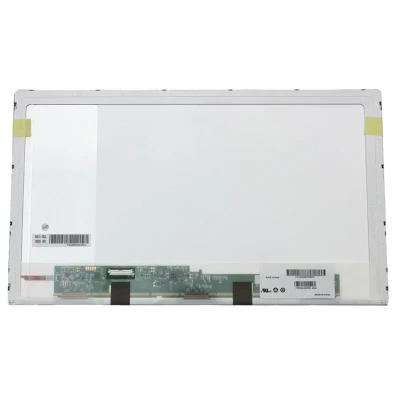
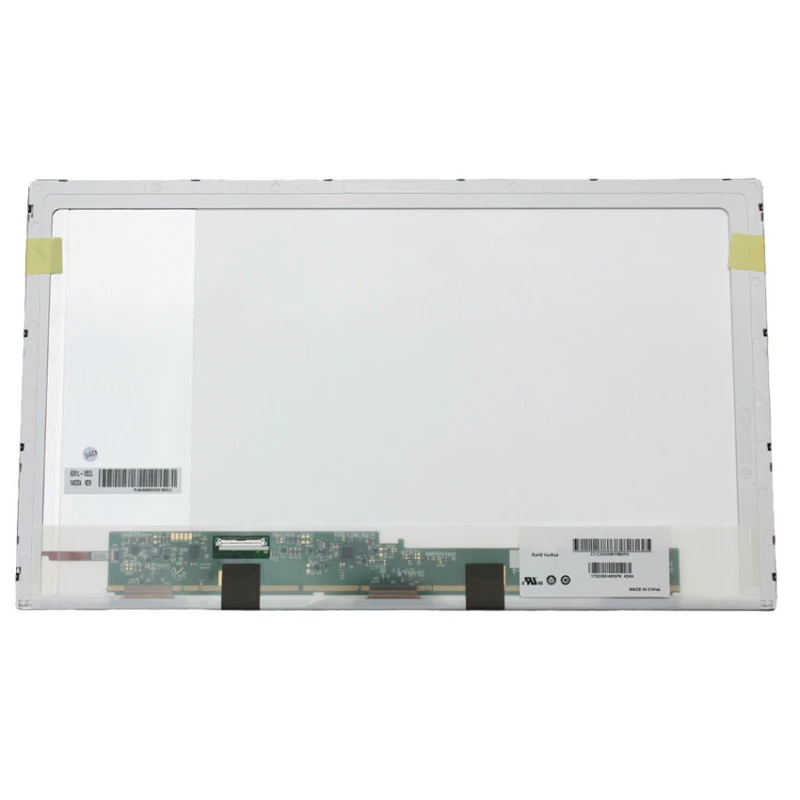
N173FGE-L23 LCD screen panel – a high‑quality LCD panel designed for laptops, delivering crisp visuals and accurate color reproduction.
Key specifications:
Compatibility: Guaranteed fit for . Double‑check the connector width and pitch before installation.
Installation tip: Handle the screen by the edges, avoid touching the glass, and route the cable carefully through the hinge to prevent pinching.
Warranty & Support: All products come with a 7‑day return policy and free technical support. If you have any compatibility questions, contact our team at info@pcspare.com.
SKU: LT-7658 | Last updated: 2026-10-21 07:25:45
If you are upgrading to a higher resolution, we recommend checking your laptop's service manual or online forums for confirmed compatibility.
How to verify: Check the connector on your original screen – look for printed labels (e.g., "30P 0.4mm") or measure with a ruler. Compare with our product photos.
If you are unsure, send us a clear photo of your original screen's connector – we can match it for you.
We ship all screens in the grade stated on the product page. All screens are tested for functionality – no lines, no flickering, and backlight is working.
If you require a specific grade, please check the product description or contact us before ordering.
Our warranty covers manufacturing defects only – physical damage during installation is not covered.
Accessing the screen requires removing the bezel – some models also require removing the entire display assembly (lid) from the base to avoid damaging cables.
Critical: The cable must be inserted all the way – if it is not fully seated, you will get a partial display or no image. Do not force the cable; if it does not go in easily, check the orientation.
Always disconnect the battery before connecting or disconnecting the LCD cable to avoid short circuits.
Note: This is a delicate operation – proceed with caution. If you are not confident, consider using a professional repair service.
Common pitfalls to avoid:
Watch our installation video or consult your laptop's service manual for model‑specific details.
Critical precautions:
Troubleshooting – what if the screen does not work after installation?
If you have tried all the above and the problem persists: Contact our support with photos of the screen issue and your laptop model – we will help diagnose and arrange a replacement if necessary.