Complete specifications for reference:
Acer Aspire 7250 Series:
Acer Aspire 7250-BZ600 / Acer Aspire 7250-3821/ Acer Aspire 7250-0416 / Acer Aspire 7250-0474/ Acer Aspire 7250-0839 / Acer Aspire 7250G Series
Acer Aspire 7251 Series:
Acer Aspire 7251G Series
Acer Aspire 7315 Series
Acer Aspire 7339 Series
Acer Aspire 7530 Series:
Acer Aspire 7530-7535G / Acer Aspire 7530G
Acer Aspire 7535 Series:
Acer Aspire 7535-5020 / Acer Aspire 7535-5227 / Acer Aspire 7535-5408 / Acer Aspire 7535-643G32MN/ Acer Aspire 7535-644G32MN / Acer Aspire 7535G Series/ Acer Aspire 7535G-644G25MN/ Acer Aspire 7535Z
Acer Aspire 7536Z
Acer Aspire 7540 Series:
Acer Aspire 7540-1284 / Acer Aspire 7540-1317 / Acer Aspire 7540-303G32MN / Acer Aspire 7540G Series / Acer Aspire 7540G-304G50MN / Acer Aspire 7540G-304G64MN / Acer Aspire 7540G-324G25BN / Acer Aspire 7540G-506G64MN
Acer Aspire 7551 Series:
Acer Aspire 7551-2818 / Acer Aspire 7551-3029 / Acer Aspire 7551-3068 / Acer Aspire 7551-3634 / Acer Aspire 7551-P322G25MN / Acer Aspire 7551-P323G32MNKK / Acer Aspire 7551G Series / Acer Aspire 7551G-5407 / Acer Aspire 7551G-N833G32MN / Acer Aspire 7551G-N834G32MIKK / Acer Aspire 7551G-N834G50M / Acer Aspire 7551G-N934G32MN / Acer Aspire 7551G-N934G32MNCK / Acer Aspire 7551G-N934G50MN-RET / Acer Aspire 7551G-P323G25MI / Acer Aspire 7551G-P324G32MNKK / Acer Aspire 7551G-P523G25MISKW
Acer Aspire 7552 Series:
Acer Aspire 7552-7552 / Acer Aspire 7552G Series / Acer Aspire 7552G-6061 / Acer Aspire 7552G-6436 / Acer Aspire 7552G-X924G64MNKK / Acer Aspire 7552G-X926G1TMN / Acer Aspire 7552G-X926G64BNKK / Acer Aspire 7552G-X926G75MN
Acer Aspire 7560 Series:
Acer Aspire 7560G Series / Acer Aspire 7560G-6344G50MNKK / Acer Aspire 7560G-6344G64MNBB / Acer Aspire 7560G-6344G75MNBB / Acer Aspire 7560G-6346G64MNKK / Acer Aspire 7560G-6346G75MNKK / Acer Aspire 7560G-8354G1.5TMNKK / Acer Aspire 7560G-8354G50MNBB / Acer Aspire 7560G-8358G1TMNKK / Acer Aspire 7560G-8358G75MNKK
Acer Aspire 7715Z Series:
Acer Aspire 7715Z-433G25MN / Acer Aspire 7715Z-444G50MN
Acer Aspire 7730 Series:
Acer Aspire 7730-7736ZG / Acer Aspire 7730-7738G
Acer Aspire 7735 Series:
Acer Aspire 7735 ZBE / Acer Aspire 7735-4357 / Acer Aspire 7735-6458 / Acer Aspire 7735-7735Z / Acer Aspire 7735G Series / Acer Aspire 7735G-904G82BN / Acer Aspire 7735Z Series / Acer Aspire 7735ZSeries / Acer Aspire 7735Z-423G25MN / Acer Aspire 7735Z-454G50MNBK / Acer Aspire 7735Z-4613 / Acer Aspire 7735Z-4952 / Acer Aspire 7735ZG Series / Acer Aspire 7735ZG-423G25MI / Acer Aspire 7735ZG-424G32MN / Acer Aspire 7735ZG-424G50BN / Acer Aspire 7735ZG-424G50MN
Acer Aspire 7736 Series:
Acer Aspire 7736-4088 / Acer Aspire 7736-663G25MN / Acer Aspire 7736G Series / Acer Aspire 7736Z Series / Acer Aspire 7736Z-4088 / Acer Aspire 7736Z-444G32MN / Acer Aspire 7736Z-4809 / Acer Aspire 7736Z-4905 / Acer Aspire 7736ZG Series / Acer Aspire 7736ZG-434G32MN / Acer Aspire 7736ZG-454G50MN
Acer Aspire 7738 Series:
Acer Aspire 7738-6716 / Acer Aspire 7738G Series / Acer Aspire 7738G-6006 / Acer Aspire 7738G-664G32MN / Acer Aspire 7738G-664G64BN / Acer Aspire 7738G-734G50MN / Acer Aspire 7738G-744G50BN / Acer Aspire 7738G-904G100MN / Acer Aspire 7738G-904G1TBN / Acer Aspire 7738Z Series
Acer Aspire 7739 Series:
Acer Aspire 7739G Series / Acer Aspire 7739Z Series / Acer Aspire 7739Z-4008 / Acer Aspire 7739Z-4439 / Acer Aspire 7739Z-4546 / Acer Aspire 7739Z-4605 / Acer Aspire 7739Z-P624G50MIKK / Acer Aspire 7739ZG Series
Acer Aspire 7740 Series:
Acer Aspire 7740-332G32MN / Acer Aspire 7740-334G50MI / Acer Aspire 7740-5142 / Acer Aspire 7740-5388 / Acer Aspire 7740-5691 / Acer Aspire 7740-6656 / Acer Aspire 7740G Series / Acer Aspire 7740G-334G32MI / Acer Aspire 7740G-434G50BN / Acer Aspire 7740G-434G64MN / Acer Aspire 7740G-436G64MN / Acer Aspire 7740G-438G64BN / Acer Aspire 7740G-528G64BN / Acer Aspire 7740G-6140 / Acer Aspire 7740G-6488 / Acer Aspire 7740G-6816 / Acer Aspire 7740G-6930
Acer Aspire 7741 Series_
Acer Aspire 7741-333G25MN / Acer Aspire 7741-333G32MN / Acer Aspire 7741-5932 / Acer Aspire 7741G Series / Acer Aspire 7741G-333G25BN / Acer Aspire 7741G-333G25MI / Acer Aspire 7741G-334G32MN / Acer Aspire 7741G-334G64MN / Acer Aspire 7741G-353G25MISK / Acer Aspire 7741G-374G50MNKK / Acer Aspire 7741G-374G50MNKK / Acer Aspire 7741G-374G64MN / Acer Aspire 7741G-374G75MNKK / Acer Aspire 7741G-384G50MNKK / Acer Aspire 7741G-438G64BN / Acer Aspire 7741G-454G75MN / Acer Aspire 7741G-464G75MNKK / Acer Aspire 7741G-5464G50MNSK / Acer Aspire 7741G-6426 / Acer Aspire 7741G-7017 / Acer Aspire 7741Z Series / Acer Aspire 7741Z-4433 / Acer Aspire 7741Z-4450 / Acer Aspire 7741Z-4450 / Acer Aspire 7741Z-4485 / Acer Aspire 7741Z-4641 / Acer Aspire 7741Z-5731 / Acer Aspire 7741Z-P614G32MN / Acer Aspire 7741Z-P614G50MN / Acer Aspire 7741ZG Series / Acer Aspire 7741ZG-P614G50MN
Acer Aspire 7745 Series:
Acer Aspire 7745-5602 / Acer Aspire 7745-7949 / Acer Aspire 7745G Series / Acer Aspire 7745G-434G1TMN / Acer Aspire 7745G-464G75BNKS / Acer Aspire 7745G-5454G50BNKS / Acer Aspire 7745G-5464G64BNKS / Acer Aspire 7745G-5468G1TMNKS / Acer Aspire 7745G-624G50MN / Acer Aspire 7745G-6384 / Acer Aspire 7745G-6513 / Acer Aspire 7745G-6572 / Acer Aspire 7745G-7748G1TMNKS / Acer Aspire 7745G-9586 / Acer Aspire 7745G-N78H/L
Acer Aspire 7750 Series:
Acer Aspire 7750 Series Model P7YE0 / Acer Aspire 7750-2314G50BNKK / Acer Aspire 7750G Series / Acer Aspire 7750G-2314G50BNKK / Acer Aspire 7750G-2314G64MNKK / Acer Aspire 7750G-2434G64MNKK / Acer Aspire 7750ZG Series
Acer Aspire 7751 Series:
Acer Aspire 7751-2531 / Acer Aspire 7751-2560 / Acer Aspire 7751-2818 / Acer Aspire 7751-4909 / Acer Aspire 7751GSeries / Acer Aspire 7751G-5056 / Acer Aspire 7751G-5407 / Acer Aspire 7752G-5488
Acer Aspire E1-731 Series:
Acer Aspire E1-731G Series
Acer Aspire E1-771 Series:
Acer Aspire E1-771G Series
Acer Aspire ES1-711 Series
Acer Aspire ES1-711-C9ZU / Acer Aspire ES1-711-P75P
Acer Aspire V3-731 Series:
Acer Aspire V3-731G Series
Acer Aspire V3-771 Series:
Acer Aspire V3-771G Series
Acer Travelmate 7740 Series:
Acer Travelmate 7740G Series
Acer Travelmate 7750 Series:
Acer Travelmate 7750G Series / Acer Travelmate 7750Z Series / Acer Travelmate 7750ZG Series
Acer Travelmate P273-M (TMP273-M) Series
Acer Travelmate P273-MG (TMP273-MG) Series
Asus A72 Series:
Asus A72D / Asus A72DY / Asus A72F / Asus A72J / Asus A72JR / Asus A72JT / Asus A72JU
Asus A73 Series:
Asus A73B / Asus A73BE / Asus A73BR / Asus A73BY / Asus A73E / Asus A73S / Asus A73SD / Asus A73SJ / Asus A73SM / Asus A73SV / Asus A73T / Asus A73TA / Asus A73TK
Asus A75 Series:
Asus A75A / Asus A75D / Asus A75DE / Asus A75V / Asus A75VD / Asus A75VJ / Asus A75VM
Asus A750 Series:
Asus A750J / Asus A750JA / Asus A750JB / Asus A750JN / Asus A750L / Asus A750LA / Asus A750LB / Asus A750LN
Asus A751 Series:
Asus A751B / Asus A751BP / Asus A751L / Asus A751LA / Asus A751LB / Asus A751LD / Asus A751LDB / Asus A751LJ / Asus A751LN / Asus A751LX / Asus A751M / Asus A751MA / Asus A751MJ
Asus E751 Series:
Asus E751J / Asus E751JA
Asus F75 Series:
Asus F75A / Asus F75V / Asus F75VB / Asus F75VC / Asus F75VD
Asus F750 Series:
Asus F750J / Asus F750JA / Asus F750JB / Asus F750JN / Asus F750L / Asus F750LA / Asus F750LB / Asus F750LN
Asus F751 Series:
Asus F751B / Asus F751BP / Asus F751L / Asus F751LA / Asus F751LAB / Asus F751LAV / Asus F751LB / Asus F751LD / Asus F751LDB / Asus F751LDV / Asus F751LJ / Asus F751LK / Asus F751LKB / Asus F751LN / Asus F751LNB / Asus F751LX / Asus F751M / Asus F751MA / Asus F751MD / Asus F751MJ
Asus G73 Series:
Asus G73J / Asus G73JH / Asus G73JW / Asus G73S / Asus G73SW
Asus G74 Series:
Asus G74S / Asus G74SX
Asus K70 Series:
Asus K70A / Asus K70AF / Asus K70I / Asus K70IC / Asus K70ID / Asus K70IJ
Asus K72 Series:
Asus K72D / Asus K72DR / Asus K72DY / Asus K72F / Asus K72J / Asus K72JR / Asus K72JT / Asus K72JU
Asus K73 Series:
Asus K73B / Asus K73BE / Asus K73BR / Asus K73BY / Asus K73E / Asus K73S / Asus K73SD / Asus K73SJ / Asus K73SM / Asus K73SV / Asus K73T / Asus K73TA / Asus K73TK
Asus K75 Series:
Asus K75A / Asus K75D / Asus K75DE / Asus K75V / Asus K75VD / Asus K75VJ / Asus K75VM
Asus K750 Series:
Asus K750J / Asus K750JA / Asus K750JB / Asus K750JN / Asus K750L / Asus K750LA / Asus K750LB / Asus K750LN
Asus K751 Series:
Asus K751B / Asus K751BP / Asus K751L / Asus K751LA / Asus K751LAB / Asus K751LB / Asus K751LD / Asus K751LDB / Asus K751LJ / Asus K751LK / Asus K751LN / Asus K751LNB / Asus K751LX / Asus K751M / Asus K751MA / Asus K751MD / Asus K751MJ
Asus N71 Series:
Asus N71J / Asus N71JA / Asus N71JQ / Asus N71JV
Asus N73 Series:
Asus N73J / Asus N73JF / Asus N73JG / Asus N73JN / Asus N73JQ / Asus N73S / Asus N73SM / Asus N73SV
Asus N75 Series:
Asus N75S / Asus N75SF / Asus N75SL
Asus P750 Series:
Asus P750J / Asus P750JA / Asus P750JB / Asus P750JN / Asus P750L / Asus P750LA / Asus P750LB / Asus P750LN
Asus P751 Series:
Asus P751J / Asus P751JA
Asus P2710 Series:
Asus P2710J / Asus P2710JA
Asus P2718 Series:
Asus P2718J / Asus P2718JA
Asus PRO7 Series:
Asus PRO7A / Asus PRO7B / Asus PRO7C / Asus PRO7D
Asus PRO78 Series:
Asus PRO78J / Asus PRO78JA / Asus PRO78JQ / Asus PRO78JV
Asus PRO79 Series:
Asus PRO79A / Asus PRO79AF / Asus PRO79I / Asus PRO79ID / Asus PRO79IJ
Asus PRO751 Series:
Asus PRO751J / Asus PRO751JA
Asus R700 Series:
Asus R700A / Asus R700D / Asus R700DE / Asus R700V / Asus R700VD / Asus R700VJ / Asus R700VM
Asus R704 Series
Asus R704A / Asus R704V / Asus R704VB / Asus R704VC / Asus R704VD
Asus R751 Series:
Asus R751J / Asus R751JA / Asus R751JB / Asus R751JN / Asus R751L / Asus R751LA / Asus R751LB / Asus R751LN
Asus R752 Series:
Asus R752B / Asus R752BP / Asus R752L / Asus R752LA / Asus R752LAB / Asus R752LAV / Asus R752LB / Asus R752LD / Asus R752LDB / Asus R752LDV / Asus R752LJ / Asus R752LK / Asus R752LN / Asus R752LNB / Asus R752LX / Asus R752M / Asus R752MA / Asus R752MD / Asus R752MJ
Asus X7A Series:
Asus X7AD / Asus X7ADY / Asus X7AF / Asus X7AJ / Asus X7AJR / Asus X7AJT / Asus X7AJU
Asus X7B Series:
Asus X7BJ / Asus X7BJF / Asus X7BJN / Asus X7BJQ / Asus X7BS / Asus X7BSM / Asus X7BSV
Asus X7D Series:
Asus X7DS / Asus X7DSF / Asus X7DSL
Asus X70 Series:
Asus X70A / Asus X70AB / Asus X70AC / Asus X70AD / Asus X70AF / Asus X70I / Asus X70IC / Asus X70ID / Asus X70IJ / Asus X70IL / Asus X70IO
Asus X72 Series:
Asus X72D / Asus X72DY / Asus X72F / Asus X72J / Asus X72JR / Asus X72JT / Asus X72JU
Asus X73 Series:
Asus X73B / Asus X73BE / Asus X73BR / Asus X73BY / Asus X73E / Asus X73S / Asus X73SD / Asus X73SJ / Asus X73SM / Asus X73SV / Asus X73T / Asus X73TA / Asus X73TK
Asus X75 Series:
Asus X75A / Asus X75V / Asus X75VB / Asus X75VC / Asus X75VD
Asus X77 Series:
Asus X77J / Asus X77JA / Asus X77JQ / Asus X77JV
Asus X750 Series:
Asus X750J / Asus X750JA / Asus X750JB / Asus X750JN / Asus X750L / Asus X750LA / Asus X750LAAV / Asus X750LB / Asus X750LN
Asus X751 Series:
Asus X751B / Asus X751BP / Asus X751L / Asus X751LA / Asus X751LAB / Asus X751LAV / Asus X751LB / Asus X751LD / Asus X751LDB / Asus X751LDV / Asus X751LJ / Asus X751LJC / Asus X751LK / Asus X751LKB / Asus X751LN / Asus X751LNB / Asus X751LX / Asus X751M / Asus X751MA / Asus X751MD / Asus X751MJ
Asus X752 Series:
Asus X752B / Asus X752BP / Asus X752L / Asus X752LA / Asus X752LAB / Asus X752LAV / Asus X752LB / Asus X752LD / Asus X752LDB / Asus X752LJ / Asus X752LK / Asus X752LKB / Asus X752N / Asus X752LNB / Asus X752LX / Asus X752M / Asus X752MA / Asus X752MD / Asus X752MJ
Asus X755 Series:
Asus X755J / Asus X755JA
Dell Inspiron 1750
Dell Inspiron 1750N
Dell Inspiron 1764
Dell Studio 1745
Dell Studio 1747
Dell Vostro 3700
Dell Inspiron N7010
Dell XPS L701X
Dell XPS L702X
Emachines G430 Series
Emachines G443 Series
Emachines G443G Series
Emachines G525 Series
Emachines G625 Series
Emachines G627 Series
Emachines G630 Series
Emachines G630G Series
Emachines G640 Series
Emachines G640G Series
Emachines G725 Series
Emachines G729G Series
Emachines G729ZG Series
Emachines G730 Series
Emachines G730G Series
Emachines G730Z Series
Emachines G730ZG Series
Gateway NV75S Series
Gateway NV76R Series
GateWay NV78
GateWay NV7802u
HP Pavilion G7-1000 Series:
HP Pavilion G7-1xxx Series / HP Pavilion G7-1050SS / HP Pavilion G7-1075NR / HP Pavilion G7-1076NR / HP Pavilion G7-1077NR / HP Pavilion G7-1078NR / HP Pavilion G7-1081NR / HP Pavilion G7-1083NR / HP Pavilion G7-1084NR / HP Pavilion G7-1085NR / HP Pavilion G7-1086NR
HP Pavilion G7-1100 Series:
HP Pavilion G7-11xx Series / HP Pavilion G7-1105es / HP Pavilion G7-1106es / HP Pavilion G7-1107es / HP Pavilion G7-1135 / HP Pavilion G7-1135ss / HP Pavilion G7-1150US / HP Pavilion G7-1167DX
HP Pavilion G7-1200 Series:
HP Pavilion G7-12xx Series / HP Pavilion G7-1201ss / HP Pavilion G7-1203es / HP Pavilion G7-1203ss / HP Pavilion G7-1204es / HP Pavilion G7-1204ss / HP Pavilion G7-1206ss / HP Pavilion G7-1208es / HP Pavilion G7-1260US / HP Pavilion G7-1270CA
HP Pavilion G7-1300 Series:
HP Pavilion G7-13xx Series / HP Pavilion G7-1302ss / HP Pavilion G7-1303ss / HP Pavilion G7-1304ss / HP Pavilion G7-1305ss / HP Pavilion G7-1307ss / HP Pavilion G7-1316DX / HP Pavilion G7-1326DX / HP Pavilion G7-1365DX
HP Pavilion G7-2000 Series
HP Pavilion G7-2100 Series
HP Pavilion G7-2200 Series
HP Pavilion G7-2300 Series
HP G71 Series:
HP G71-329WM / HP G71-333CA / HP G71-333NR / HP G71-345CL / HP G71-449WM
HP G72 Series:
HP G72-b60SS / HP G72-100 Series / HP G7-1200 Series
HP Pavilion DV7-2xxx Series:
HP Pavilion DV7-2000 Series / HP Pavilion DV7-2100 Series / HP Pavilion DV7-2200 Series / HP Pavilion DV7-2300 Series / HP Pavilion DV7-2400 Series
HP Pavilion DV7-3xxx Series:
HP Pavilion DV7-3000 Series / HP Pavilion DV7-3100 Series / HP Pavilion DV7-3200 Series / HP Pavilion DV7-3300 Series / HP Pavilion DV7-3400 Series
HP Pavilion DV7-4000 Series:
HP Pavilion DV7-4010es / HP Pavilion DV7-4015ss / HP Pavilion DV7-4020es / HP Pavilion DV7-4025ss / HP Pavilion DV7-4030ss / HP Pavilion DV7-4035es / HP Pavilion DV7-4040ss / HP Pavilion DV7-4080ss / HP Pavilion DV7-4085es / HP Pavilion DV7-4090es
HP Pavilion DV7-4100 Series:
HP Pavilion DV7-4121ss / HP Pavilion DV7-4125es / HP Pavilion DV7-4130ss / HP Pavilion DV7-4155ss / HP Pavilion DV7-4156ss / HP Pavilion DV7-4160es / HP Pavilion DV7-4161ss / HP Pavilion DV7-4162ss / HP Pavilion DV7-4171ss / HP Pavilion DV7-4190es
HP Pavilion DV7-4200 Series
HP Pavilion DV7-4300 Series:
HP Pavilion DV7-4380es
Asus K72JK
Asus F70SL
Asus X72KR
Asus 14G140260420
Asus 14G140305010
Asus 14G140305020
Asus 14G140305021
Asus 14G140305000
Asus F751N
Asus X751S
Asus X751SA
Asus X751SJ
Asus X751SV
Asus X751Y
Asus X751YI
Asus NON-TOUCH
Asus X75A-7K
Asus X75U
Asus X75SV
Asus XJ4
Asus X75A-DH32
Asus 3IN1
Asus SHORT
Asus 14G140305001
Asus MS2261
Asus 50.4CD12.021
Asus K73A
Asus X73SL
Asus X73SB
Asus A75VB
Asus A75VC
Asus K75VB
Asus K75VC
Asus X751LN18
Asus 40PINNON
Asus MS2287
Asus 50.4GC01.101
Asus G73JW-1A
Asus 50.4FX01.102
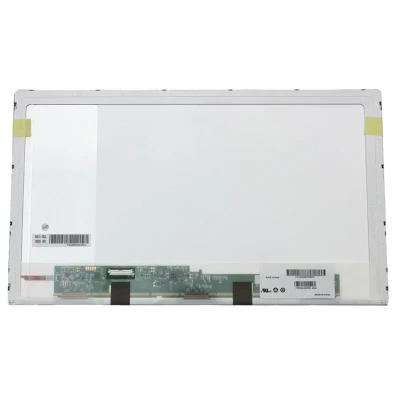
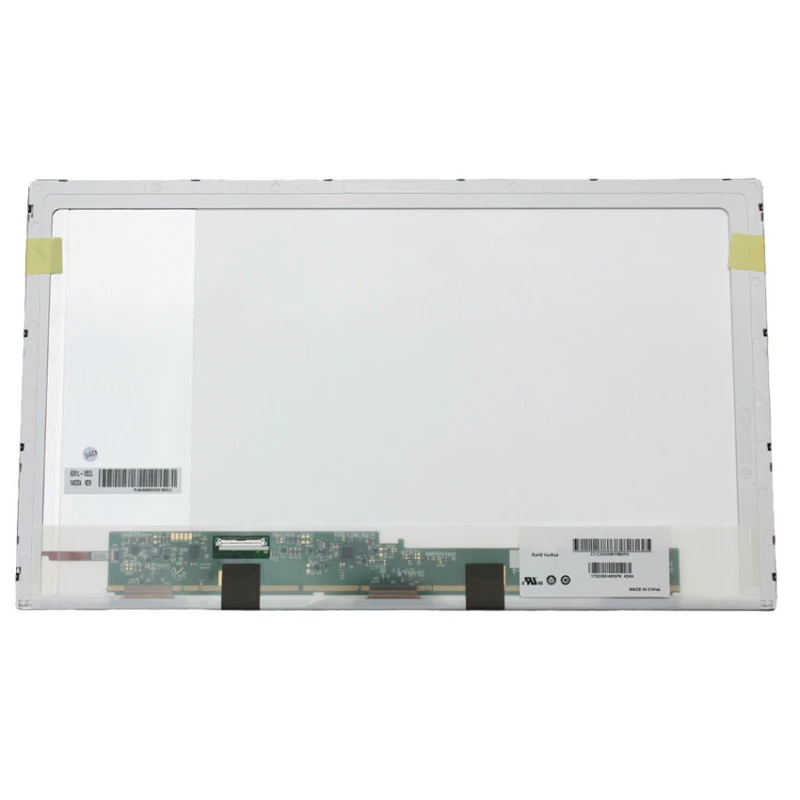
N173FGE-L21 LCD screen panel – a high‑quality LCD panel designed for laptops, delivering crisp visuals and accurate color reproduction.
Key specifications:
Compatibility: Guaranteed fit for . Double‑check the connector width and pitch before installation.
Installation tip: Handle the screen by the edges, avoid touching the glass, and route the cable carefully through the hinge to prevent pinching.
Warranty & Support: All products come with a 7‑day return policy and free technical support. If you have any compatibility questions, contact our team at info@pcspare.com.
SKU: LT-7657 | Last updated: 2026-10-21 07:25:45
If you are upgrading to a higher resolution, we recommend checking your laptop's service manual or online forums for confirmed compatibility.
How to verify: Check the connector on your original screen – look for printed labels (e.g., "30P 0.4mm") or measure with a ruler. Compare with our product photos.
If you are unsure, send us a clear photo of your original screen's connector – we can match it for you.
We ship all screens in the grade stated on the product page. All screens are tested for functionality – no lines, no flickering, and backlight is working.
If you require a specific grade, please check the product description or contact us before ordering.
Our warranty covers manufacturing defects only – physical damage during installation is not covered.
Accessing the screen requires removing the bezel – some models also require removing the entire display assembly (lid) from the base to avoid damaging cables.
Critical: The cable must be inserted all the way – if it is not fully seated, you will get a partial display or no image. Do not force the cable; if it does not go in easily, check the orientation.
Always disconnect the battery before connecting or disconnecting the LCD cable to avoid short circuits.
Note: This is a delicate operation – proceed with caution. If you are not confident, consider using a professional repair service.
Common pitfalls to avoid:
Watch our installation video or consult your laptop's service manual for model‑specific details.
Critical precautions:
Troubleshooting – what if the screen does not work after installation?
If you have tried all the above and the problem persists: Contact our support with photos of the screen issue and your laptop model – we will help diagnose and arrange a replacement if necessary.