Complete specifications for reference:
00KJ3Y
018PJX
18PJX
02kx23
092MFT
0945v0
0Vndyt
184x2
2J3XN
M4H3V
2kx23
2kx23
02kx23
33NPJ
391-BFUY
391-BFYS
391-BFYS
391-BGCB
391-BGCI
391-BGEG
391-BGIR
391-BGJG
391-BGUV
463TD
0463TD
6C9DX
06C9DX
8mntr
92MFT
945v0
Alienware x15 R1
Dcr5t
Dell Alienware M15 R3
Dell Alienware M15 R4
Dell Alienware M15 R5
Dell Alienware m15 R5 (2021)
Dell Alienware m15 R5 P109F P109F002
Dell Alienware M15 R6
Dell Alienware m15 R7
Dell Alienware m15 Ryzen Edition R5
Dell Alienware m15 Ryzen Edition R5 P109F002
Dell G15 5510
Dell G15 5511
Dell G15 5515
Dell G15 5515 Ryzen Edition
Dell G15 5520
Dell G15 5520 P105f
Dell G15 5530 P121F P121F001
Dell G5 6091L-4174B
EDID LGD067E
Dell G5 5500 5505
K6gg7
LG Gram 15Z970-A-AAS7UI
lq0dase398
M6yxc
MW2V2
TY90V
0TY90V
ty90v
0ty90v
LG 6091L-4174B
TY90V
EDID LGD067E
Vndyt
WF0NX
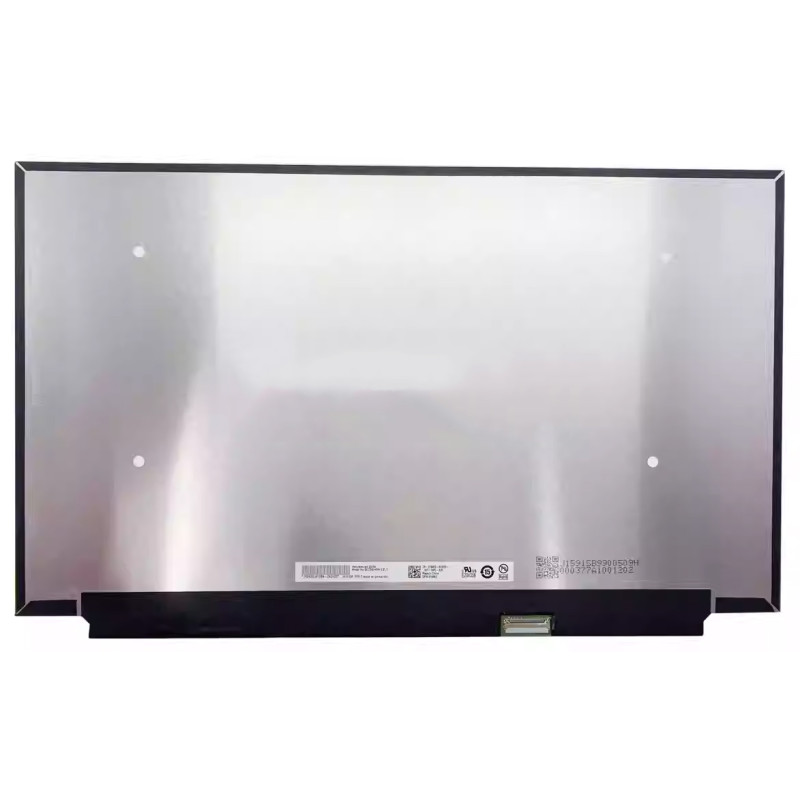
LQ156M1JW38 165HZ LCD screen panel – a high‑quality LCD panel designed for laptops, delivering crisp visuals and accurate color reproduction.
Key specifications:
Compatibility: Guaranteed fit for . Double‑check the connector width and pitch before installation.
Installation tip: Handle the screen by the edges, avoid touching the glass, and route the cable carefully through the hinge to prevent pinching.
Warranty & Support: All products come with a 7‑day return policy and free technical support. If you have any compatibility questions, contact our team at info@pcspare.com.
SKU: PCS-10027210 | Last updated: 2026-09-16
If you are upgrading to a higher resolution, we recommend checking your laptop's service manual or online forums for confirmed compatibility.
How to verify: Check the connector on your original screen – look for printed labels (e.g., "30P 0.4mm") or measure with a ruler. Compare with our product photos.
If you are unsure, send us a clear photo of your original screen's connector – we can match it for you.
We ship all screens in the grade stated on the product page. All screens are tested for functionality – no lines, no flickering, and backlight is working.
If you require a specific grade, please check the product description or contact us before ordering.
Our warranty covers manufacturing defects only – physical damage during installation is not covered.
Accessing the screen requires removing the bezel – some models also require removing the entire display assembly (lid) from the base to avoid damaging cables.
Critical: The cable must be inserted all the way – if it is not fully seated, you will get a partial display or no image. Do not force the cable; if it does not go in easily, check the orientation.
Always disconnect the battery before connecting or disconnecting the LCD cable to avoid short circuits.
Note: This is a delicate operation – proceed with caution. If you are not confident, consider using a professional repair service.
Common pitfalls to avoid:
Watch our installation video or consult your laptop's service manual for model‑specific details.
Critical precautions:
Troubleshooting – what if the screen does not work after installation?
If you have tried all the above and the problem persists: Contact our support with photos of the screen issue and your laptop model – we will help diagnose and arrange a replacement if necessary.