Watch official Lenovo videos for installation, disassembly, and repair guidance.
Open Lenovo Installation Guide File / Videos
Complete specifications for reference:
ADL230SLC3A
ADL230SCC2A
ADL230SDC3A
ADL230NLC3A
ADL230SCC3A
ADL230NDC3A
4X20E75113
4X20E75124
4X20E75117
4X20E75122
4X20E75114
4X20E75120
4X20E75125
4X20E75112
4X20E75119
4X20E75111
4X20E75123
4X20E75116
4X20E75115
4X20E75118
4X20E75121
4X20S56717
4X20S56713
4X20S56726
4X20Z83991
4X20E7511
GX20Z46307
GX20L29347
SA10R16890
SA10E75804
SA10M42756
SA10E75805
SA10H28356
00HM626
00HM627
01FR046
01FR044
02DL144
02DL143
02DL142
00PC782
PA-1231-12LA
ADL170NCC3A
ADL170NLC2A
ADL170NDC2A
ADL170NLC3A
ADL170SLC2A
ADL170SDC2A
ADL170SCC2A
ADL170SDC3A
ADL170SLC3A
ADL170NDC3A
ADL170SCC3A
ADP-170CB BC
ASP-170CB B
ADL170SLC3
ADL170SLC3
SA10R16886
SA10R16884
4X20E50574
4X20E50586
4X20E50588
4X20E50581
4X20E50577
4X20E50587
4X20E50589
4X20E50575
4X20E50576
4X20E50584
4X20E50579
4X20E50578
4X20E50580
4X20E50583
4X20E75090
4X20S56701
02DL140
45N0370
45N0372
45N0373
45N0374
45N0375
45N0487
45N0514
45N0371
45N0558
888015042
36200321
PA-1171-71
01FR043
02DL141
02DL137
02DL138
02DL136
02DL139
PA-1131-71
PA-1131-72
ADL135NLC2A
ADL135NDC3A
ADL135NLC3A
ADL135NCC3A
ADL135SDC3A
ADL135NDC2A
ADL135SCC3A
ADL135NCC2A
ADP-135JB D
ADP-135JB DB
ADP-135JB
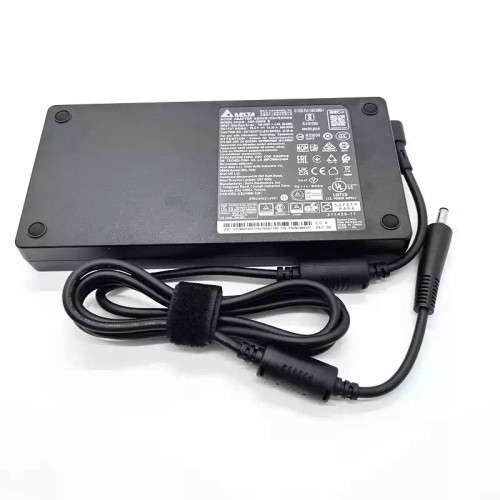
Lenovo Legion Y720-15IKB AC power adapter 230W Square Yellow Slim Tip NEW – a high‑performance AC power adapter for laptops, ensuring stable and efficient charging.
Key specifications:
Compatibility: Guaranteed to work with . Always match the voltage – using a different voltage can damage your laptop.
Usage tip: Place the adapter on a hard, ventilated surface. Avoid bending the DC cord sharply.
Warranty & Support: All products come with a 7‑day return policy and free technical support. If you have any compatibility questions, contact our team at info@pcspare.com.
SKU: LT-10029927 | Last updated: 2026-09-18 10:11:48
Wattage: N/A | Voltage/Current: 20V 11.5A | Connector: Square Yellow Slim Tip
These specifications must match your laptop's original adapter to ensure safe and stable power delivery. Using an adapter with incorrect voltage or current can damage your device or cause it to malfunction.
This adapter is designed for laptops that require N/A and use a Square Yellow Slim Tip connector. It is compatible with models listed in our product description. Please check the part number (Lenovo 230W Square Yellow Slim Tip NEW) against your original adapter – if they match or are listed as compatible, it will work.
Important: Even if the connector fits, the voltage must match exactly (e.g., 19V vs 20V). Using a different voltage can permanently damage the motherboard.
This adapter uses a Square Yellow Slim Tip connector. Common types include:
Always verify the polarity of your original adapter before connecting. If the polarity is reversed, the laptop will not power on, and the protection circuit may be triggered (or in worst case, damage the system board).
If none of the above works, the adapter may be incompatible or defective – contact our support for assistance.
Always use the original adapter or a certified replacement. An undersized adapter (lower wattage) may cause the laptop to throttle performance or fail to charge while under load. Over‑sized adapters (higher wattage) are generally safe, as the laptop draws only the current it needs – but voltage must still match exactly.