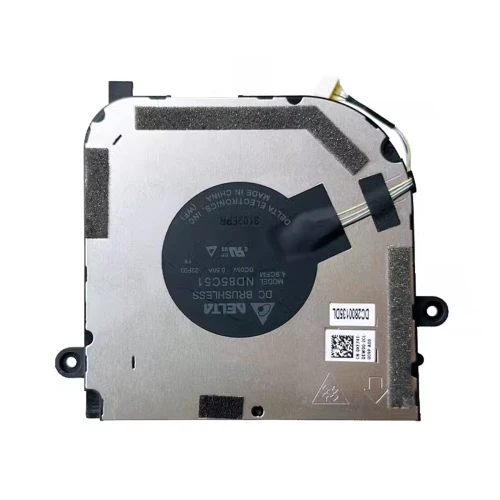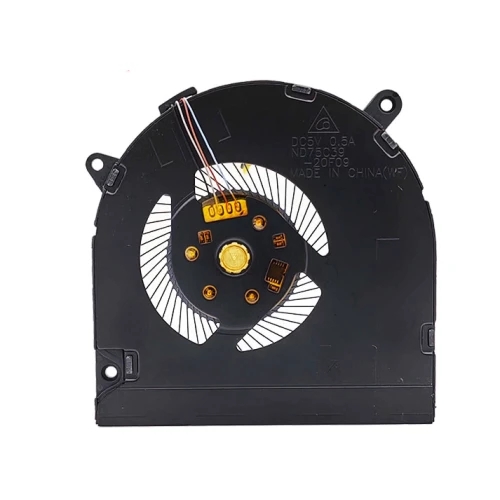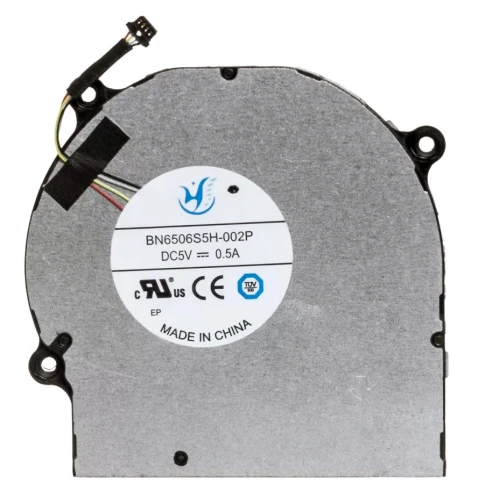

Watch official Lenovo videos for installation, disassembly, and repair guidance.
Open Lenovo Installation Guide File / Videos
Complete specifications for reference:
ADL245SDC3A
ADL245SLC3A
SA11Q29115
5A11Q29116
SA11Q29123
SA11Q29120
Legion 7 16IAX10 83KY
Legion 7 16AGP11 Machine Type 83Q8
Legion 7 16ARHA7 82UH
Legion 7 16IRX9 Laptop (83DG 83FG)
Legion 7-15IMH05 81YT
Legion 7-15IMHg05 81YU
Legion Pro 5 16IAX10 83F3
Legion Pro 5 16IRX10 83NN
Legion Pro 5 16ADR10 83LT
Legion Pro 5 16ARX8 Type 82WM
Legion Pro 5 16IRX8 Type 82WK
Legion 5 Pro 16IAH7 Type 82S0
Legion 5 Pro 16ARH7 Type 82RY
Legion 5 Pro 16ARH7H Type 82RG
Legion 5 Pro-16ACH6 Type 82JS
Legion 5 Pro-16ACH6H Type 82JQ
Legion 5 Pro-16ITH6 Type 82JF
Legion 5 Pro-16ITH6H Type 82JD
Legion 5 Pro 16IAH7H Type 82RF
Legion Pro 5 16AFR10 Machine Type 83F2
Legion 5 16IAX10 83NX
Legion 5 15IAX10 83F0 83N2
Legion 5 15AHP10 83M0
Legion 5 15IRX10 83LY
Legion 5 15AKP10 83F1
Legion 5 15AGP11 5a 83Q6
Legion 5 15AHP11/ 5a 83Q7
Legion 5 15IAX11 Machine Types 83QE 83VK
Legion 5 15IPH11 83RW
Legion 5 15IRX10 5 15IRX9 Type 83JJ
Legion 5 15APH9 Type 83EG
Legion 5 15ARP8 Type 83EF
Legion 5 16IRX9 Type 83DG
Legion 5-15ARH05 Type 82B5
Legion 5-15IMH05 Type 82AU
Legion 5-15ARH05H Type 82B1
Legion 5-15IMH05H Type 81Y6
Legion 5 15IAH7 82RC
Legion 5 15IAH7H 82RB
Legion 5 15ARH7H 82RD
Legion 5 15ARH7 82RE
Legion 5-15IMH6 82NL
Legion 5-15ITH6 82JK
Legion 5-15ITH6H 82JH 82MH
Legion 5-15ACH6 82JW 82QJ
Legion 5-15ACH6A 82NW
Legion 5-15ACH6H 82JU
Legion 5-17ITH6 82JN
Legion 5-17ITH6H 82JM
Legion 5-17IMH05 82B3
Legion 5-17IMH05H 81Y8
Legion 5-17ARH05H 82GN
Legion 5-17ACH6 82K0
Legion 5-17ACH6H 82JY
Legion S7 16IRH8 Type 82Y3
Legion 5P-15ARH05H 82GU
Legion 5P-15IMH05 82AY
Legion 5P-15IMH05H Type 82AW
Legion Slim 5 14APH8 82Y5
Legion Slim 5 16AHP9 83DH
Legion Slim 5 16APH8 82Y9
Legion Slim 5 16ARP9 83EX
Legion Slim 5 16IRH8 Type 82YA
Legion Slim 7 16IRH8 Type 82Y3
Legion Slim 7 16APH8 Type 82Y4
Legion S7-15IMH5 82BC
Legion S7-15ARH5 82HM
Legion S7-15ACH6 82K8
Legion S7-16IAH7 82TF
Legion S7-16ARHA7 82UG
Legion C7-15IMH05 82EH
Legion Y720-15IKB
Legion Y730-15ICH (81HD)
Legion Y730-17ICH (81HG)
Legion Y740-15ICHg (81HE)
Legion Y740-15IRH (81UF)
Legion Y740-15IRHg (81UH)
Legion Y740-17ICHg (81HH)
Legion Y740-17IRH (81UG)
Legion Y740-17IRHg (81UJ)
Legion R720-15IKBN Type 80WW
Legion R720-15IKB Type 80WX
Legion Y7000-2019
Legion Y7000 2019 1050
Legion Y7000-2019-PG0
Legion Y7000P Y7000P-1060
Legion Y530-15ICH 81FV
Legion Y530-15ICH-1060 81LB
Legion Y540-15IRH (81RJ 81SX)
Legion Y540-15IRH-PG0 (81SY)
Legion Y540-17IRH (81Q4)
Legion Y540-17IRH-PG0 (81T3)
Legion Y545 Type 81Q6
Legion Y545-PG0 (81T2)
Legion Y920-17IKB
LOQ 15APH8
LOQ 15APH8D
LOQ 15APH8A
LOQ 15APH8AD
LOQ 15IAX9
LOQ 15IAX9I
LOQ 15IRH8
LOQ 15IRH8D
LOQ 15IRX9
LOQ 15AHP9
LOQ 16IRH8
LOQ 16IRH8D
LOQ 16APH8
LOQ 16APH8D
LOQ 17IRB8
LOQ 15ARP9
LOQ 15IAX9E
LOQ 15IRX10
ThinkPad P50 P51 (Type 20HH
20HJ 20MM
20MN)
ThinkPad P52 (Type 20M9
20MA)
ThinkPad P53 (Type 20QN
20QQ)
ThinkPad P70 P71 (type 20HK
20HL)
ThinkPad P72 (type 20MB
20MC)
ThinkPad P73 (type 20QR
20QS)
IdeaPad Pro 5 16IMH9 (Type 83D4
IdeaPad Pro 5 16AHP9 (Type 83D5
IdeaPad Pro 5 16APH8 (Type 83AR
IdeaPad Pro 5 16IRH8
Yoga Pro 9 16IMH9 (Type 83DN
Yoga Pro 9 16IRP8
Yoga Pro 9 16IAH10 83L0
ThinkPad P16 Gen 1 (Type 21D6
21D7)
ThinkPad P16 Gen 2 (Type 21FA
21FB)
ThinkPad P15 Gen 1 (type 20ST
20SU)
ThinkPad P15 Gen 2 (type 20YQ
20YR)
ThinkPad T15g Gen 1 (type 20UR 20US)
ThinkPad T15g Gen 2 (Type 20YS
20YT)
ThinkPad P17 Gen 1 (type 20SN
20SQ)
ThinkPad P17 Gen 2 (type 20YU
20YV)
ThinkPad P1 Gen 1 (Type 20MD
20ME)
ThinkPad P1 Gen 2 (Type 20QT
20QU)
ThinkPad P1 Gen 3 (type 20TH
20TJ )
ThinkPad P1 Gen 4 (type 20Y3
20Y4 )
ThinkPad P1 Gen 5 (Type 21DC 21DD)
ThinkPad P1 Gen 6 (Type 21FV
21FW)
ThinkPad P1 Gen 7 (Type 21KV
21KW)
ThinkPad W540
ThinkPad W541
ThinkPad X1 Extreme 1st Gen (Type 20MF
20MG)
ThinkPad X1 Extreme 2nd Gen (Type 20QV
20QW)
ThinkPad X1 Extreme 3rd Gen (Type 20TK
20TL)
ThinkPad X1 Extreme 4th Gen (Type 20Y5
20Y6)
ThinkPad X1 Extreme Gen 5 (Type 21DE
21DF)
Lenovo 245W Yellow Square 20V 12.25A AC power adapter – a high‑performance AC power adapter for laptops, ensuring stable and efficient charging.
Key specifications:
Compatibility: Guaranteed to work with . Always match the voltage – using a different voltage can damage your laptop.
Usage tip: Place the adapter on a hard, ventilated surface. Avoid bending the DC cord sharply.
Warranty & Support: All products come with a 7‑day return policy and free technical support. If you have any compatibility questions, contact our team at info@pcspare.com.
SKU: LT-10030465 | Last updated: 2026-10-23 00:34:09
Wattage: 245W | Voltage/Current: 20V 12.25A | Connector: Yellow Square Slim Tip
These specifications must match your laptop's original adapter to ensure safe and stable power delivery. Using an adapter with incorrect voltage or current can damage your device or cause it to malfunction.
This adapter is designed for laptops that require 245W and use a Yellow Square Slim Tip connector. It is compatible with models listed in our product description. Please check the part number (Lenovo 245W Yellow Square 20V 12.25A) against your original adapter – if they match or are listed as compatible, it will work.
Important: Even if the connector fits, the voltage must match exactly (e.g., 19V vs 20V). Using a different voltage can permanently damage the motherboard.
This adapter uses a Yellow Square Slim Tip connector. Common types include:
Always verify the polarity of your original adapter before connecting. If the polarity is reversed, the laptop will not power on, and the protection circuit may be triggered (or in worst case, damage the system board).
If none of the above works, the adapter may be incompatible or defective – contact our support for assistance.
Always use the original adapter or a certified replacement. An undersized adapter (lower wattage) may cause the laptop to throttle performance or fail to charge while under load. Over‑sized adapters (higher wattage) are generally safe, as the laptop draws only the current it needs – but voltage must still match exactly.