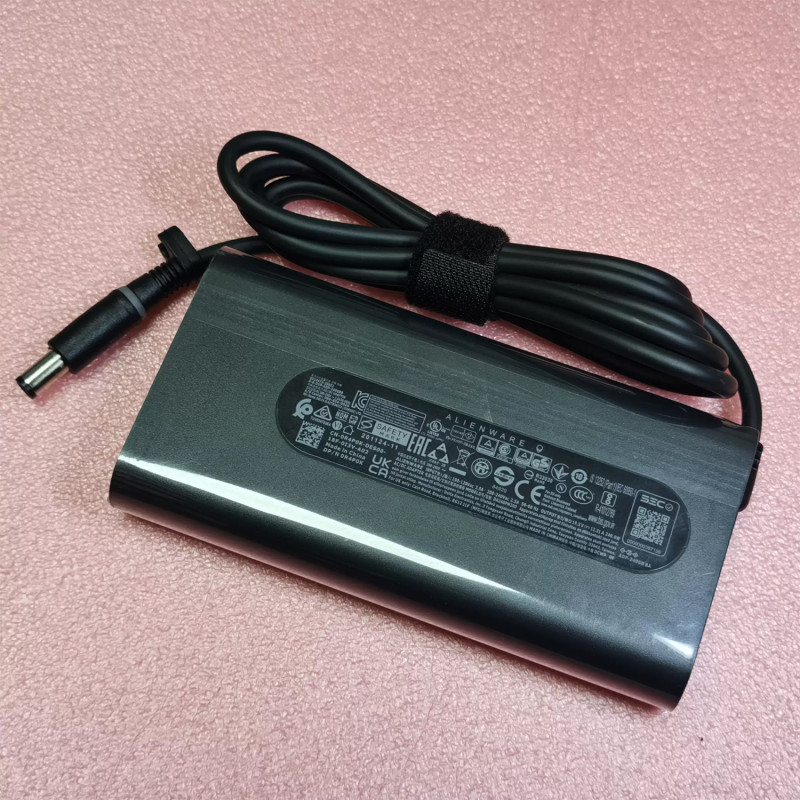
240W Slim GaN Charger for Dell G15 5530 5535 (7.4mm x 5.0mm)

ID: PCS-10029194 Type: Gallium Nitride (GaN) Charger Model/PN: G15 5530, G15 5535 Wattage: 240W GaN Voltage/Current: 19.5V 12.31A Connector Type: 7.4mm x 5.0mm Condition: NEW original qulity
Availability: In Stock
‌EUR € 34.20
Bulk Quote
  • Guaranteed to fit your AC Power Adapter Charger G15 5530, G15 5535
  • Free step-by-step repair guide File
  • Tracked shipping & easy returns

Complete specifications for reference:
LA240PM200 HA240PM200 DA240PM200 ADP-240AB ADP-240AB B LA240PM160 LA240PM190 LA240PM180 DA240PM180 DA240PM190 HA240PM190 LA180PM210 HA180PM210 DA180PM210 DA180PM111 FA180PM111 HA180PM181 ADP-180MB B FA180MP111 LA180PM180 HA180PM180 01MDV8 0GMT0M 0HJCCJ 07XCR6 7XCR6 KJXPP 450-AHHE 0J211H J211H 0J938H J938H 0U896K U896K 0Y044M Y044M 03KWGY 0XXRRJ 0D0X04 0CTX6T 0FWCRC 0F4XHP 0PHF5J 0XV4TF 0FHMD4 08KRFN 330-3514 330-4128 330-4342 GA240PE1-00 PA9E PA-9E R4P0K G5K8G 4GC66 0YR68
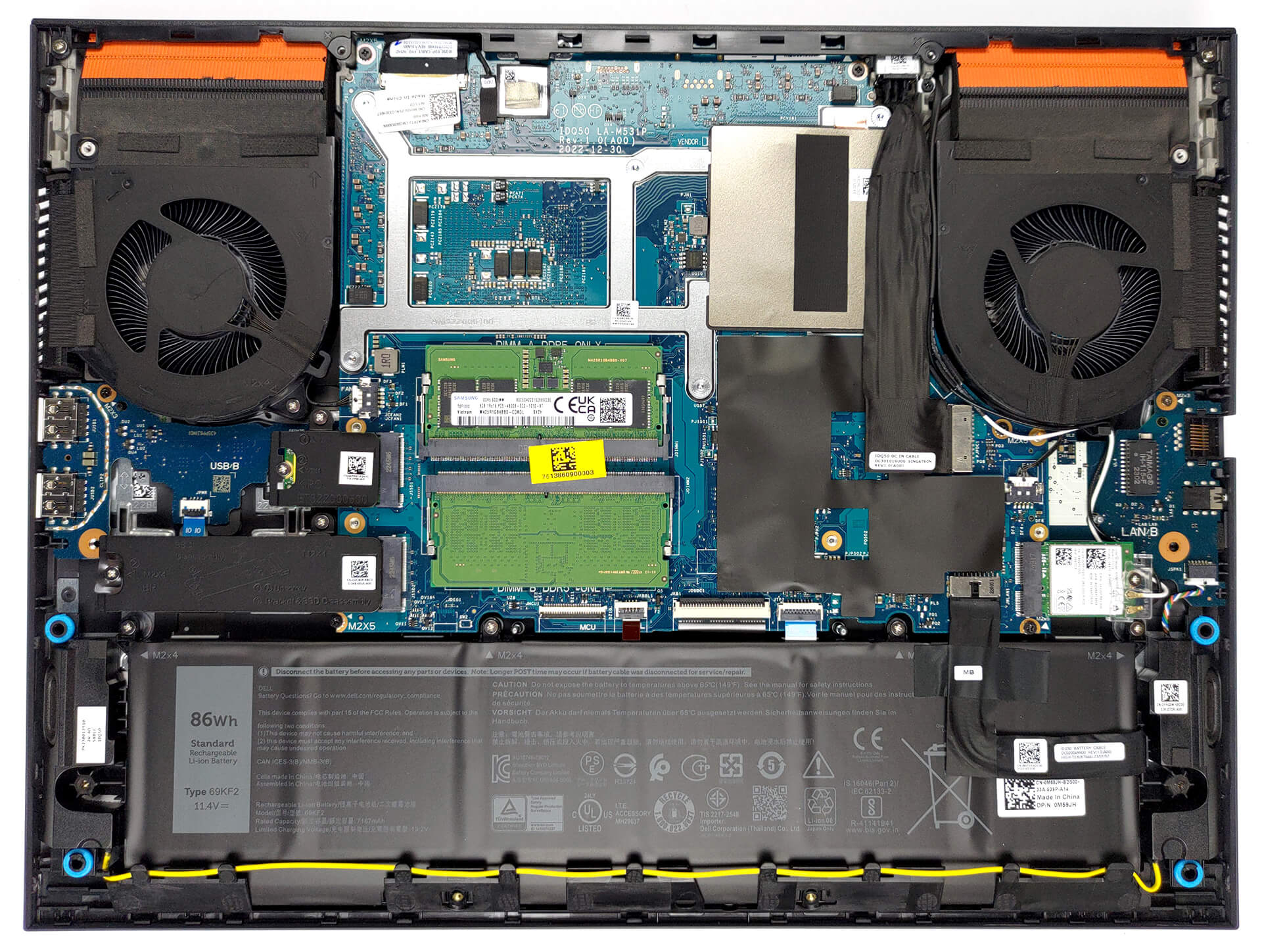
Laptop Dell G15 5530 1 Internal View — Actual Photo - pcspare.com

How to replace and fix 240W Slim GaN Charger for Dell G15 5530 5535 (7.4mm x 5.0mm) (Dell G15 5530 1)
Repair Guide Dell G15 5530 1
PCS pcspare.com

Actual internal layout for Dell G15 5530 1 disassembly by pcpsare.com— helps you locate the part before replacement.

Laptop DELL G15 5530 Internal View — Actual Photo - pcspare.com

How to replace and fix 240W Slim GaN Charger for Dell G15 5530 5535 (7.4mm x 5.0mm) (DELL G15 5530)
Repair Guide DELL G15 5530
PCS pcspare.com

Actual internal layout for DELL G15 5530 disassembly by pcpsare.com— helps you locate the part before replacement.
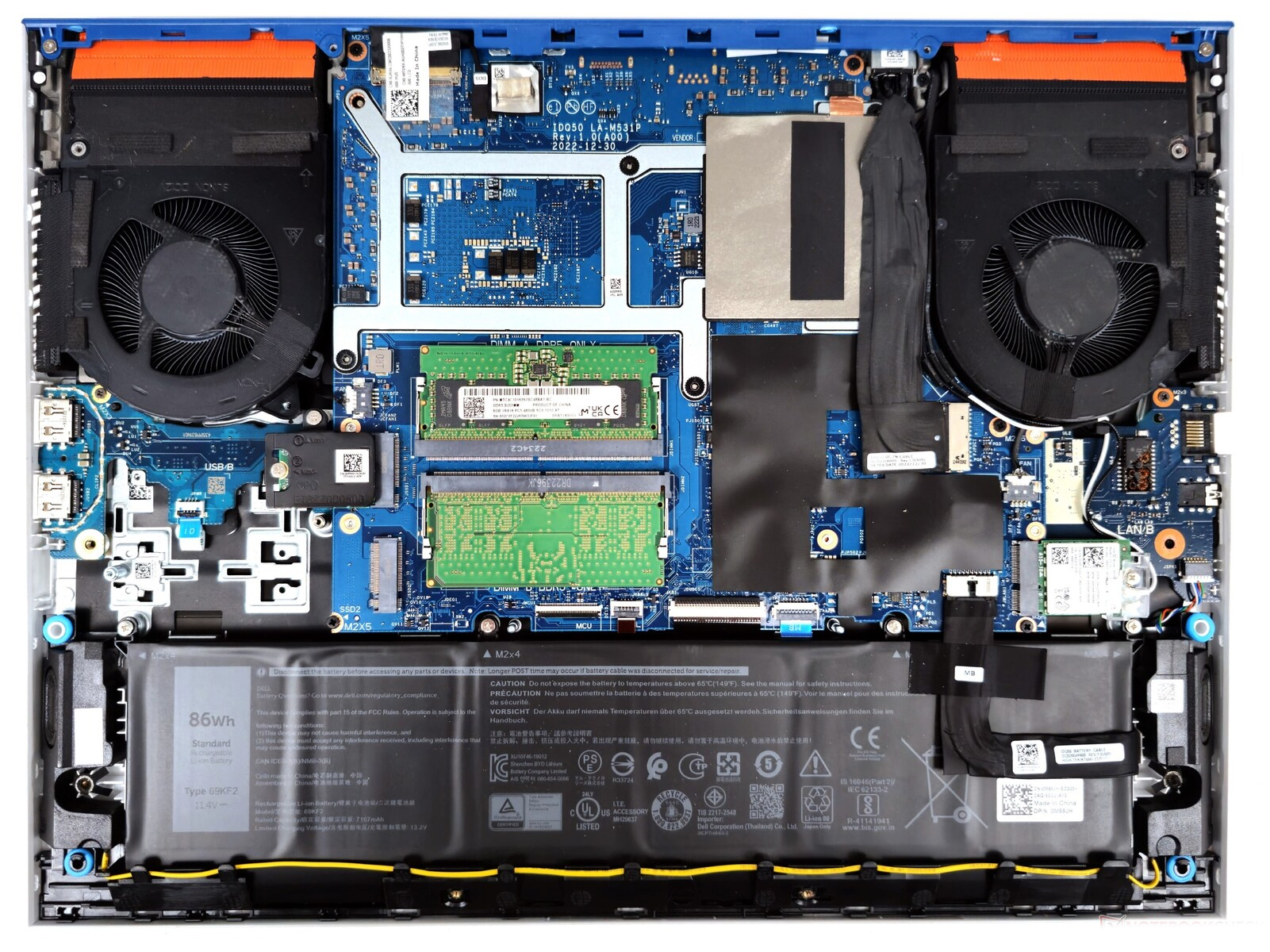
Laptop Dell G15 5530 Internal View — Actual Photo - pcspare.com

How to replace and fix 240W Slim GaN Charger for Dell G15 5530 5535 (7.4mm x 5.0mm) (Dell G15 5530)
Repair Guide Dell G15 5530
PCS pcspare.com

Actual internal layout for Dell G15 5530 disassembly by pcpsare.com— helps you locate the part before replacement.

Laptop Dell G15-5530 Internal View — Actual Photo - pcspare.com

How to replace and fix 240W Slim GaN Charger for Dell G15 5530 5535 (7.4mm x 5.0mm) (Dell G15-5530)
Repair Guide Dell G15-5530
PCS pcspare.com

Actual internal layout for Dell G15-5530 disassembly by pcpsare.com— helps you locate the part before replacement.

Frequently Asked Questions & Solutions

AC Adapter – Frequently Asked Questions

What are the output specifications of this adapter?

Wattage: 240W GaN  |  Voltage/Current: 19.5V 12.31A  |  Connector: 7.4mm x 5.0mm

These specifications must match your laptop's original adapter to ensure safe and stable power delivery. Using an adapter with incorrect voltage or current can damage your device or cause it to malfunction.

Which laptop models is this adapter compatible with?

This adapter is designed for laptops that require 240W GaN and use a 7.4mm x 5.0mm connector. It is compatible with models listed in our product description. Please check the part number (G15 5530, G15 5535) against your original adapter – if they match or are listed as compatible, it will work.

Important: Even if the connector fits, the voltage must match exactly (e.g., 19V vs 20V). Using a different voltage can permanently damage the motherboard.

What is the difference between this GaN charger and a traditional charger?

Gallium Nitride (GaN) is a semiconductor material that allows chargers to be:

  • Smaller and lighter – GaN components operate at higher frequencies, reducing the size of transformers and other internal parts.
  • More energy-efficient – less heat is generated during conversion, meaning less energy is wasted and the charger runs cooler.
  • Faster charging – GaN chargers often support higher power densities, enabling faster charging for compatible devices.
  • Safer – better thermal management and over‑current protection circuits are easier to implement.

Comparison with traditional silicon (Si) chargers:

Feature GaN Charger Traditional Si Charger
Size / Weight Compact & lightweight Bulky & heavier
Efficiency High (>90%) Moderate (80‑85%)
Heat generation Less heat More heat
Charging speed Faster (supports higher power) Standard speed
Price Slightly higher Lower

Which should you choose? If you prioritise portability, efficiency, and fast charging, a GaN charger is an excellent upgrade. If budget is your main concern and you don't mind the extra bulk, a traditional charger will still work reliably.

This product is a GaN charger, so you get all the benefits above while maintaining full compatibility with your laptop.

What connector type does this adapter have, and how do I check polarity?

This adapter uses a 7.4mm x 5.0mm connector. Common types include:

  • Barrel (round) connectors – have inner and outer diameters (e.g., 5.5mm x 2.5mm). The centre pin is usually positive (+), and the outer barrel is negative (-), but some brands reverse this.
  • USB Type-C – the standardised connector for modern laptops; polarity is managed internally and is not user‑adjustable.

Always verify the polarity of your original adapter before connecting. If the polarity is reversed, the laptop will not power on, and the protection circuit may be triggered (or in worst case, damage the system board).

What should I pay attention to when using this AC adapter?

  • Input voltage range: Most adapters accept 100‑240V AC, 50/60 Hz – check the label for your region.
  • Heat dissipation: Place the adapter on a hard, well‑ventilated surface; do not cover it with cloth or paper.
  • Cable management: Avoid bending the DC output cord sharply near the connector – this can break internal wires.
  • Physical damage: Inspect the plug and cable for cracks or exposed wires before each use.

What if the laptop does not charge or power on with this adapter?

  • Check connection: Ensure the plug is fully inserted into the laptop and the wall outlet.
  • Check LED indicator: Most adapters have an LED – if it is off, the wall outlet may be faulty.
  • Verify specifications: Compare the output voltage and current with your original adapter – they must be identical.
  • Test with another device: If possible, try the adapter on a compatible laptop to isolate the issue.
  • Reset the laptop: Unplug the adapter, remove the battery (if removable), hold the power button for 15 seconds, reconnect and try again.

If none of the above works, the adapter may be incompatible or defective – contact our support for assistance.

Quick Tip

Always use the original adapter or a certified replacement. An undersized adapter (lower wattage) may cause the laptop to throttle performance or fail to charge while under load. Over‑sized adapters (higher wattage) are generally safe, as the laptop draws only the current it needs – but voltage must still match exactly.
New arrive

MSI Claw A8 BZ2EM Fan original right
PCS
MSI Claw A8 BZ2EM Fan original left
PCS
B6506ASHNF2200TN Fan original
PCS
BN95065S5H-006P Fan original
PCS
‌EUR € 15.30